Need help?
Do you have a question about the Sony XR-6600RDS and is the answer not in the manual?
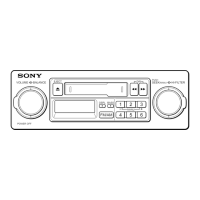
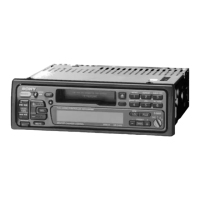
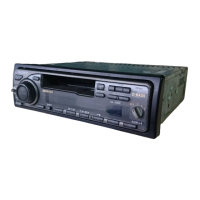
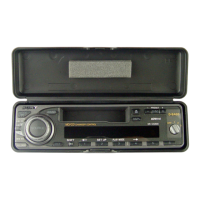
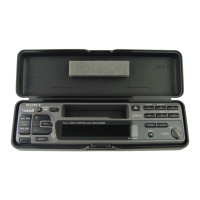
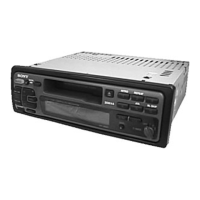
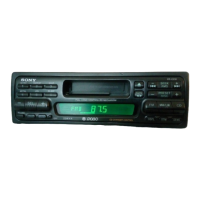
Identifies the car stereo model as XR-6600RDS.
Lists available language versions for Operating Instructions: EN, F, D, I.
Highlights detachable panel, 24-hour clock, power amplifier, and caution alarm.
Details intro scan, repeat play, ATA, and blank skip functions.
Covers station presets, BTM, and RDS compatibility for the tuner.
Describes the optional remote control unit for operation.
Provides advice on resetting the unit, heat exposure, power, and speaker fader settings.
Covers tape surface, magnetic fields, and environmental exposure for cassettes.
Explains detaching, attaching, and the associated caution alarm for security.
Step-by-step guide for adjusting the time on the 24-hour digital clock.
Instructions for starting, stopping, and changing tape direction.
Procedure for removing a cassette from the player.
Details on rewinding and fast-forwarding cassette tapes.
Utilizes the Automatic Music Sensor to find track starts.
Plays the first 10 seconds of each track for selection.
Scans and stops on available radio stations automatically.
Adjusts the frequency manually to select stations.
Automatically stores the strongest stations found.
Using Monaural mode to improve FM stereo reception quality.
Manually stores preferred radio stations onto preset buttons.
Accesses radio stations that have been previously stored.
Introduction to the Radio Data System and its capabilities.
Shows the name of the currently received radio station.
AF function automatically retunes to stronger signals of the same network.
Maintains tuning to a regional broadcast without switching stations.
Automatically tunes into stations broadcasting traffic information.
Allows pre-setting the volume level for traffic announcements.
Stores stations with associated AF and TA data for preset tuning.
Finds stations based on their broadcast programme category.
Uses Clock Time (CT) data from RDS for automatic time adjustment.
Controls bass, treble, balance, and fader for audio output.
Enhances bass and treble at low listening volumes.
Quickly silences the audio output.
Disables operational beep sounds for quieter use.
Guidance on how to replace the unit's fuse correctly.
Ensures proper contact by cleaning electrical connectors.
Step-by-step instructions for removing the car stereo.
Instructions for applying labels to the optional remote control.
Detailed identification of all buttons, displays, and controls on the unit.
Technical details for the tape deck, including response and signal-to-noise ratio.
Technical details for FM and MW/LW tuners, including sensitivity and selectivity.
Details on speaker impedance and maximum power output.
Information on power requirements, dimensions, mass, and supplied accessories.
Addresses issues like no sound or problems with the display window.
Solutions for distorted sound and incorrect AMS function operation.
Covers problems with station presets, automatic tuning, and signal indications.
Resolves issues with SEEK, traffic announcements, and PTY features.
 General
| RDS | Yes |
|---|---|
| Display Type | LCD |
| CD Player | Yes |
| MP3 Playback | Yes |
| Remote Control | Yes |
| Bluetooth | No |
| USB Port | No |
| Aux Input | Yes |
| Preamp Outputs | Yes |


 To Next Page