EasyManua.ls Logo

Sony XVS-9000-C - User Manual

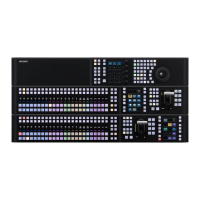
Sony XVS-9000-C
204 pages
Print Icon
To Next Page IconTo Next Page
Loading...
SWITCHER PROCESSOR PACK
XVS-9000-C
XVS-8000-C
XVS-7000-C
XVS-6000-C
XVS-9000
XVS-8000
XVS-7000
XVS-6000
XKS-8160
XKS-8210
XKS-8440
XKS-8460
XKS-8470
XKS-8475
XKS-S8110
XKS-S8112
XKS-S8165
XKS-S8167
XKS-S9112
XKS-S9167
XKS-T8110
XKS-T8165
XKS-7210
XKS-S8111
XKS-Q8111
XKS-Q8166
XKS-C8111
XKS-C8166
XKS-C9111
XKS-C9121
XKS-C9111N
XKS-C9121N
SERVICE MANUAL
1st Edition (Revised 5)

Table of Contents

Questions and Answers

  • M
    Michelle BrownAug 9, 2025
    What to do if Sony Switch XVS-9000/XVS-8000/XVS-7000/XVS-6000 does not start normally?
    • A
      Annette RobinsonAug 10, 2025
      If the Sony Switch XVS-9000/XVS-8000/XVS-7000/XVS-6000 doesn't start normally, take actions according to the Status LED indication. Re-check the network connection and settings if the network is not operating correctly. If PWS-110SC1 is not running, start the PWS-110SC1. Check that the connection is correct, as the rear board may be faulty. In case of board failure, replace the board. A detailed check is required, so inform the service personnel of the symptom of the fault.
  • J
    Jessica HansenAug 25, 2025
    What to do if Sony Switch XVS-8000 power does not turn on?
    • L
      Lisa WallerAug 25, 2025
      If the Sony Switch XVS-8000 power does not turn on and the AC and DC indicators are not lit green, there are several possible solutions: * Ensure the power switch (A/B/C/D) is turned on. * Verify the power cord is correctly connected. * Press the breaker button.

Sony XVS-9000-C Specifications

General IconGeneral
BrandSony
ModelXVS-9000-C
CategorySwitch
LanguageEnglish

Related product manuals