CHECKING YOUR AUDIO
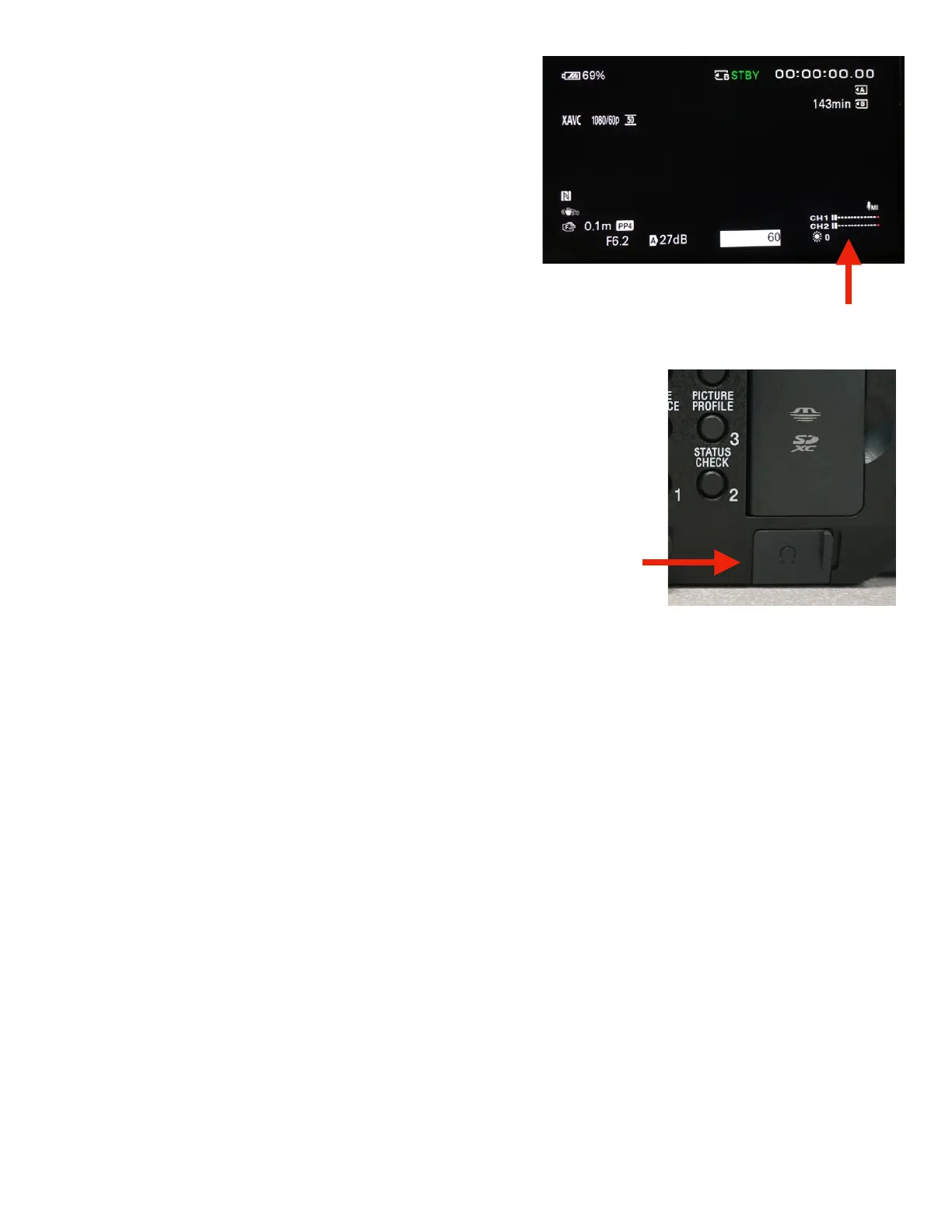
If your audio is set up correctly, you will see movement on
the audio indicators on the LCD screen. If only one channel
is moving, you may have the “REC CH SELECT” set to the
wrong setting for the microphones you are using.
USING THE HEADPHONES TO CHECK AUDIO
Always check your audio using headphones. Seeing the audio level indicator
move does not guarantee good audio.
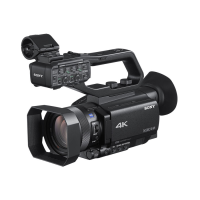
The headphone input is found under the SD card slot. Open the door and
connect the Headphones.
If you’re using two microphones you should hear INPUT 1 in your left ear and INPUT 2 in your right ear.
If you’re using one microphone you should hear it in both ears. !


 To Next Page