Help Guide
Digital Camera
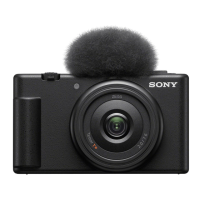
ZV-1F
Drive Mode
Select the appropriate mode for the subject, such as single shooting, continuous shooting, or self-timer shooting.
Menu item details
Single Shooting:
Normal shooting mode.
Cont. Shooting:
Shoots images continuously while you press and hold down the shutter button.
Speed Priority Cont. :
Shoots images continuously at high speed while you press and hold down the shutter button.
Self-timer(Single) :
Shoots an image using the self-timer after a designated number of seconds have elapsed since the shutter button was
pressed.
Related Topic
Cont. Shooting
Speed Priority Cont.
Self-timer(Single)
5-041-856-11(1)
Copyright 2022 Sony Corporation
Select / (Drive Mode) on the control wheel → desired setting.
You can also set the drive mode by selecting MENU →
(Shooting) → [Drive Mode] → [Drive Mode].
1
Select the desired mode using the right/left side of the control wheel.
2


 To Next Page