Help Guide
Digital Camera
ZV-1F
Zoom
You can zoom by using the W/T (zoom) lever or by touching the zoom icon on the screen.
Using the zoom lever
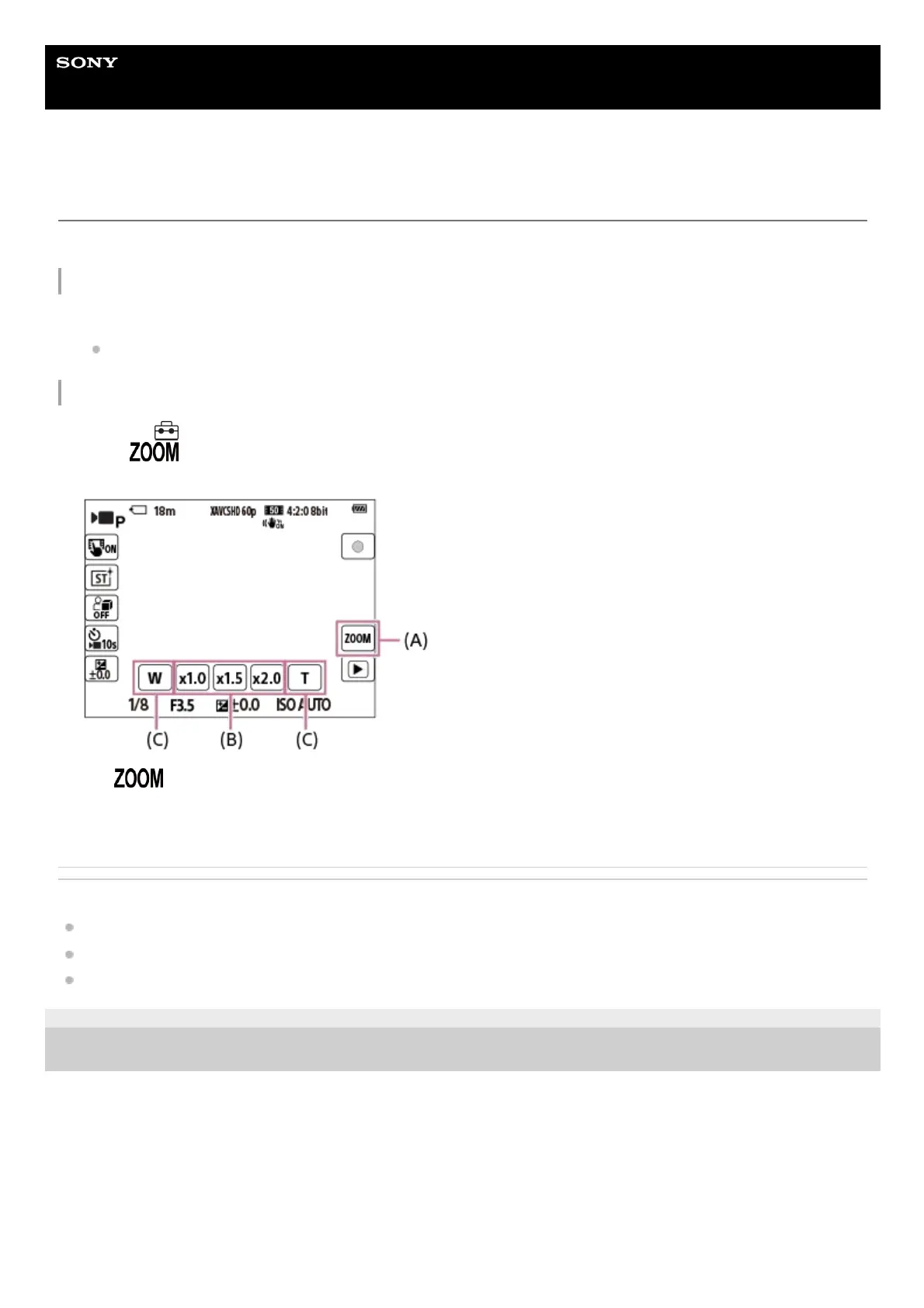
Touching the zoom icons on the screen
Related Topic
Zoom Range (still image/movie)
Zoom Speed
Step Zoom Magnif. (still image/movie)
5-041-856-11(1)
Copyright 2022 Sony Corporation
Enlarge the subject using the W/T (zoom) lever.
Move the W/T (zoom) lever to the T side to zoom in and to the W side to zoom out.
1.
MENU →
(Setup) → [Touch Operation] → [Icon Touch Function] → [On].1.
Touch
(Zoom) icon (A), and then select the magnification scale (B). Alternatively, touch and hold the W or T
icon (C).
(A): (Zoom) icon
(B): Magnification scale
(C): W/T icon
2.



 To Next Page