Help Guide
Digital Camera
ZV-1F
Icon Touch Function
Basic operations and settings can be performed by touching the icons displayed on the screen instead of using the
buttons.
Menu item details
On:
Enables the icon touch function. You can change the settings of functions or operate the camera by touching icons.
Off:
Disables the icon touch function.
Icon touch button
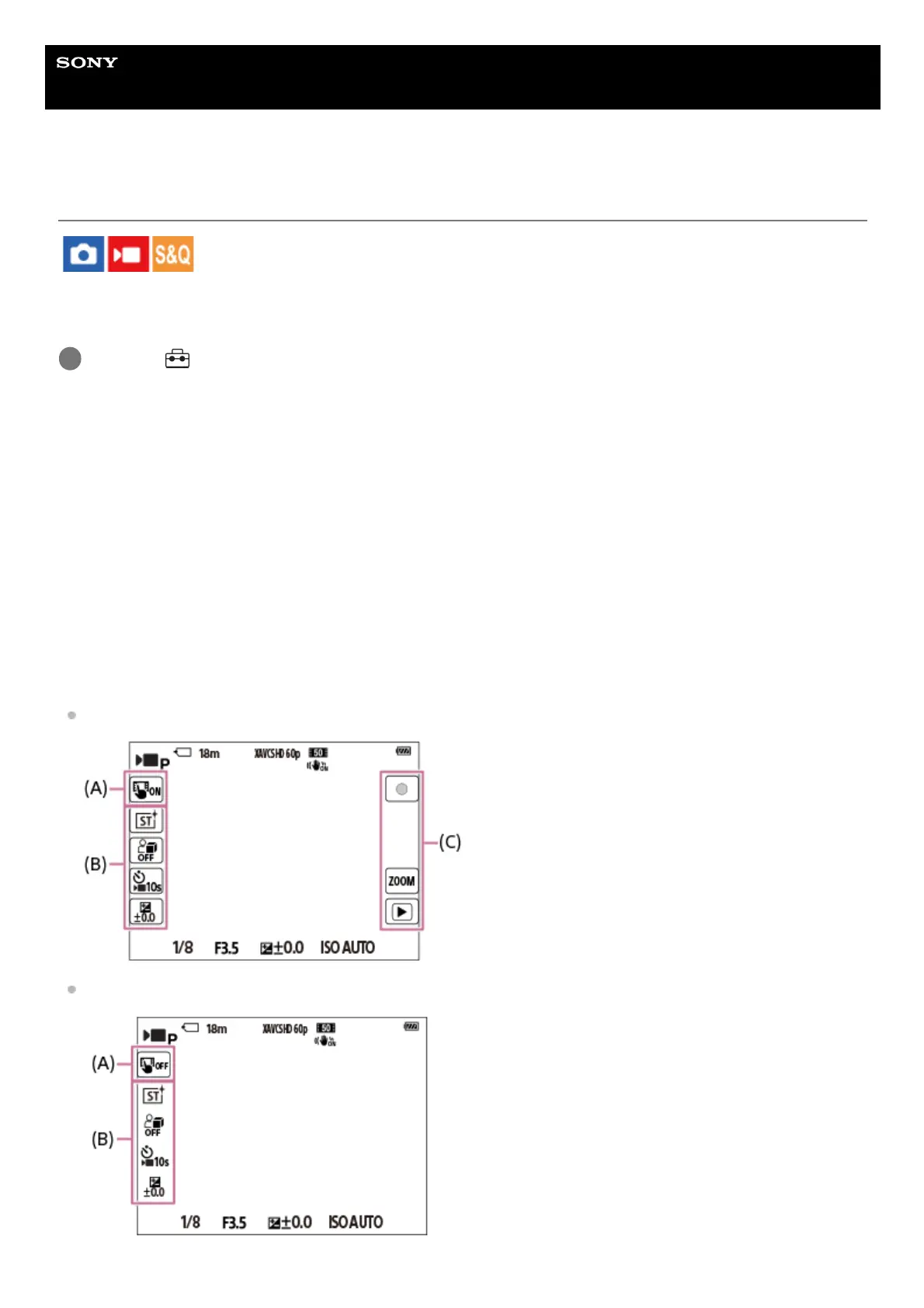
When [Icon Touch Function] is set to [On], the icon touch button (A) is displayed. You can temporarily switch the icon
touch function on/off by touching the button.
When the icon touch function is turned off, the settings cannot be changed by touching the setting icons (B), and the
operation icons (C) are hidden.
Display example (when the display mode is [Display All Info.]):
When [Icon Touch Function] is turned on
When [Icon Touch Function] is turned off
MENU → (Setup) → [Touch Operation] → [Icon Touch Function] → desired setting.
1



 To Next Page