EasyManua.ls Logo

Sophos XG 106 - User Manual

Sophos XG 106
39 pages
Print Icon
To Next Page IconTo Next Page
Loading...
Quick Start Guide
XG 115(w)/125(w)/135(w) Rev. 3, XG 106(w) Rev. 1
Question and Answer IconNeed help?

Do you have a question about the Sophos XG 106 and is the answer not in the manual?

Summary

Before Deploying

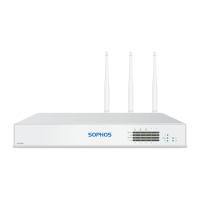
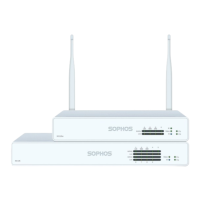
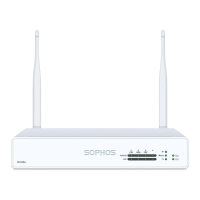
What is included in the box

Lists the components provided with the Sophos XG device, including the appliance, cables, and power adapter.

Mount & Connect the Device

Mount Antennas

Connects antennas to the back of the appliance and aligns them vertically for wireless models.

Connect Network Ports

Connects Port 1/LAN to the internal network and Port 2/WAN to the external network.

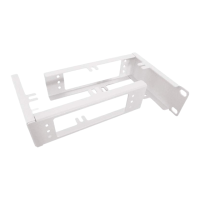
Mount Appliance to Rack

Instructions for using an optional rackmount kit to install the device in a rack.

Power Up the Device

Connect Administration PC

PC Connection Properties

Configures PC/Laptop network interface settings (IP, Netmask, Gateway, DNS) for connection.

Connect PC to Port 1;LAN

Accesses the device's LAN port via browser using the management IP address and default login.

Setup the Device

Register the Device

Registers the device with a Sophos ID via the web-based interface for activation.

Synchronize License

Fetches license information from Sophos onto the device after successful registration.

Start Network Configuration

Configures deployment mode, interface IPs, gateway, DNS, and time settings via the wizard.

Device LED Status (RJ45)

Explains the status indicated by LEDs on each RJ45 Ethernet connector.

Device LED Status (SFP & Front)

Support and Documentation

Summary

Before Deploying

What is included in the box

Lists the components provided with the Sophos XG device, including the appliance, cables, and power adapter.

Mount & Connect the Device

Mount Antennas

Connects antennas to the back of the appliance and aligns them vertically for wireless models.

Connect Network Ports

Connects Port 1/LAN to the internal network and Port 2/WAN to the external network.

Mount Appliance to Rack

Instructions for using an optional rackmount kit to install the device in a rack.

Power Up the Device

Connect Administration PC

PC Connection Properties

Configures PC/Laptop network interface settings (IP, Netmask, Gateway, DNS) for connection.

Connect PC to Port 1;LAN

Accesses the device's LAN port via browser using the management IP address and default login.

Setup the Device

Register the Device

Registers the device with a Sophos ID via the web-based interface for activation.

Synchronize License

Fetches license information from Sophos onto the device after successful registration.

Start Network Configuration

Configures deployment mode, interface IPs, gateway, DNS, and time settings via the wizard.

Device LED Status (RJ45)

Explains the status indicated by LEDs on each RJ45 Ethernet connector.

Device LED Status (SFP & Front)

Support and Documentation

Sophos XG 106 Specifications

General IconGeneral
Maximum Firewall Rules10, 000
New Connections per Second30, 000
Form FactorDesktop
Humidity10% to 90% non-condensing
VPN Throughput1 Gbps
IPsec VPN Throughput1 Gbps
Operating Temperature0 to 40 °C
Interfaces6 x GE RJ45, 2 x GE SFP
Network Interfaces6 x GE RJ45, 2 x GE SFP

Related product manuals