Need help?
Do you have a question about the Sophos XG 310 and is the answer not in the manual?
Explains the meaning of security symbols used in the documentation and on the appliance.
Details the intended use and environments for the XG 310/330 hardware appliances.
Lists compliance standards (FCC Class A, CE, C-Tick, VCCI, UL) and notes on maintaining compliance.
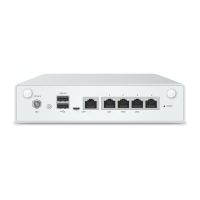
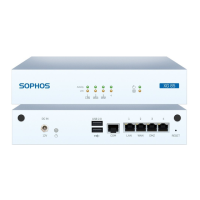
Details the front and back panel elements, ports, and connectors of the XG 310/330 appliances.
Describes the LEDs for power supply status and SSD activity.
Explains the ACT/LNK and Speed LEDs for RJ45 Ethernet connectors.
Details the meaning of ACT/LNK LEDs for SFP and SFP+ ports.
Describes LEDs for LAN Bypass functionality and the backside power supply.
Information on the appliance's LCD display and its four control keys.
Details for System Menu options like Date, Uptime, CPU, Memory, Load Average, Disk, and Live Users.
Details for Network Menu options showing port status and IP assignments.
Details for Firmware Menu options including firmware version, factory reset, shutdown, and reboot.
Step-by-step instructions for performing a factory reset on the appliance.
Step-by-step instructions for safely shutting down the appliance.
Step-by-step instructions for rebooting the appliance.
General cautions regarding battery replacement and operation.
General safety warnings and precautions for operating the appliance.
Guidelines for ambient temperature, airflow, mechanical loading, and grounding in rack installations.
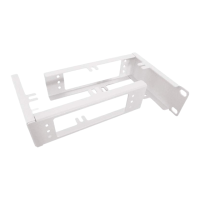
Steps for attaching rack-mount brackets and sliding the appliance into a rack.
Guidance on connecting the appliance and initial configuration.
Details on Sophos Flexi Port modules, SFP/SFP+ GBIC types, and their specifications.
Instructions for inserting and removing SFP GBIC modules from ports.
Information on connecting to the appliance's COM port via serial console.

 To Next Page

 General