EasyManua.ls Logo

Sorvall RT/T6000D - Page 267

Sorvall RT/T6000D
302 pages
Print Icon
To Next Page IconTo Next Page
To Previous Page IconTo Previous Page
Loading...
SORVALL®
Centrifuges
RT6000D. T6000D, RT6000B,
and
T6000B
Centrifuges
Serial Number
9101800
and Above
Calibration
of
Temperature
Circuit
(RIO, R17,
& R48)
1.
With
the
POWER
switch
set to
OFF. turn
the
temperature
meter
adjusting screw
(using a
screwdriver)
until
the
pointer reads
-20'C.
2.
Set
POWER
switch
to
ON,
and
open
centrifuge lid.
Remove the rotor
If
necessary.
3.
Set
the
POWER
switch
to OFF,
and
unplug
the
centrifuge
power
cord.
4.
Carefully loosen temperature
sensor
located
on
the bottom
of
the
rotor
chamber.
5.
Prepare
an
ice and
water
bath
(2/3
Ice.
1/3
water).
Immerse
the
temperature
sensor
In Ice and
water
bath
and
agitate
it
to cool
completely.
Check the
Ice and
water
bath with
a
thermometer
to ensure
the
temperature
has stabilized
at
0°C.
6.
Remove
the
temperature
control
knob
from the front
panel.
Turn the
temperature
post
fully counterclockwise.
7.
Lower
the front
cabinet
panel
(refer to
paragraph
5-32).
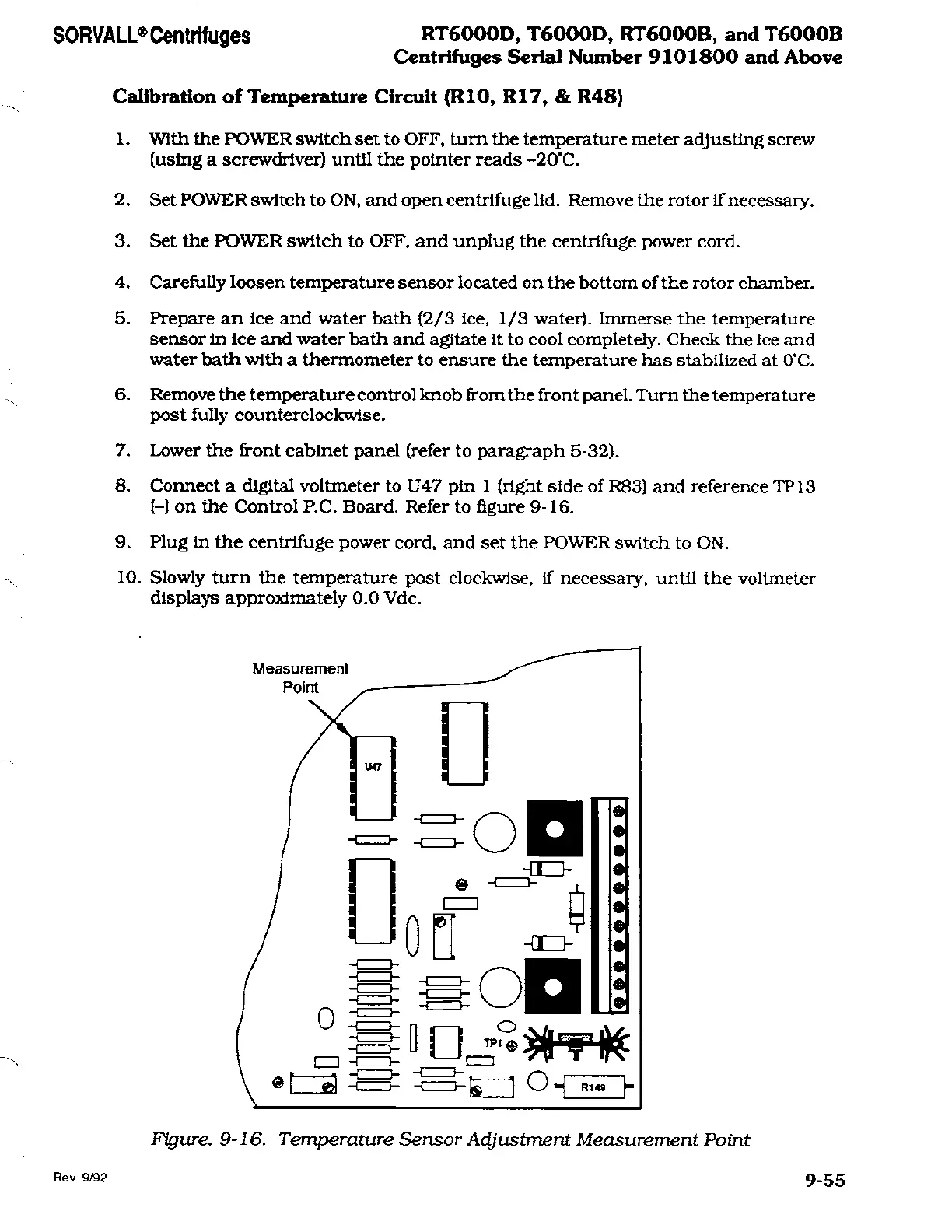
8.
Connect
a
digital voltmeter
to
U47
pin
1
(right
side of R83) and
reference
TP13
(-)
on
the
Control
P.C.
Board.
Refer
to
figure
9-16.
9.
Plug
in
the
centrifuge
power
cord,
and
set
the
POWER
switch
to
ON.
10.
Slowly turn
the
temperature
post
clockwise,
if
necessary,
until the
voltmeter
displays
approximately
0.0 Vdc.
Figure.
9-16.
Temperature Sensor Adjustment Measurement
Point
Rev.
9/92
9-55

Related product manuals