3.16 Three-way calling / No light
3.17 Three-way calling / No light
3.18 standby mode / No light
3.19 playing music / No light
3.20 playing music No light
When the volume reach maximum, the
prompt tone is "beep"
When the volume reach minimum, the
prompt tone is "beep"
3.23 in power-on status Power Off White light on for 1 second
3.24 in power-on status /
3.25 in power-on status Low battery,Power Off White light on for 1 second
3.26 standby mode Power Off No light
3.27 in power-on status / No light
Disconnect
bluetooth on
mobile phone and
turn on bluetooth
again
Accompanied by corresponding beeps No light
Accompanied by corresponding beeps no status
Accompanied by corresponding beeps no status
TWS Reconnect Accompanied by corresponding beeps no status
According to the status, the
corresponding prompt
White and blue lights are on at
the same time, the white light
flashes three times and shuts
down
Put the earphones
into the charging
case to start
charging the
earphones, open
the charging case,
take out the
earphones and
turn on the
earphones
Primary or auxiliary earbud, press and hold the power button for 5 seconds (TWS connection status, both earphones will be power off)
Three-way call 3, switch between two calls
In the three-way call status, triple-click the MFB button of the right earphone to hold the current call, switch to the held call, and switch
between the two calls. This function needs to be supported by the mobile phone.
Three-way call 4, keep the current call, reject
the new call
In the three-way call status, double-click the MFB button of the right earphone to keep the current call and reject the new call
Press the right earphone MFB button once
Bluetooth device
back connection
Manually connect the earbud back to the
mobile phone
In the case that the mobile phone has been successfully connected to the earbud, unilaterally turn off the Bluetooth from the mobile
phone and then turn on the Bluetooth. If the earbud fails to reconnect with the mobile phone, click the primary (or auxiliary) earbud
button arbitrarily, and the earbud will automatically reconnect to the mobile phone.
1.Automatically connect back to the Bluetooth device with pairing record when it is power on
2.After the distance is exceeded, approach the phone within 1 minute and it will automatically reconnect; after 1 minute, short press the
power button to reconnect
The primary and auxiliary units can be reconnected at any time (because the primary and auxiliary units are automatically switched)
(In single earphone mode, in dual earphone mode/five consecutive clicks, the white and blue lights are on at the same time, the white
light flashes three times and shuts down, reset is done), it need to be operated when the mobile phone is not connected.
4.Charging case function and operation instructions
After putting the earbud into the charging case, it will automatically shut down and charge.
Earbud low power shutdown
When the battery is lower than 3.5V, a voice alarm will appear. When the battery is lower than 3.0V, it will automatically shut down
(whichever is lower than 3.0V will be power off)
Standby automatic shutdown
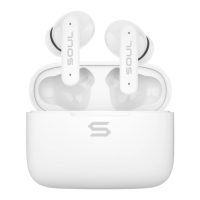
Put the earphones in the charging case
1、The white light is on when the earphone is charging, and the white light on the charging case is on (when the charging case power is low, the white light flashes)
2、When the earbud is fully charged, the white light turns off and turns to blue light
3、After turning to blue light, the blue light will be off in about 10-30 seconds
Use TYPE C cable to charge the charging
case
1、When charging the charging case, the red light of the charging case flashes, and the red light stays on when fully charged
If there is no connection within 5 minutes, it will automatically shut down (TWS connection status, both headphones will be power off)
Automatic master-slave switching
TWS connection status, automatically and seamlessly switch according to the power or the status of the primary and auxiliary earbud
The earbud automatically charges after the
charging base is self-consumed
The earphones are not used in the charging case. When the power is lower than 4.0V, the charging case starts to charge the earphones.
Press the right earphone MFB button two times
Press the right earphone MFB button three times
Press the left earphone MFB button once
Press the left earphone MFB button two times


 To Next Page
 Loading...