EN 01
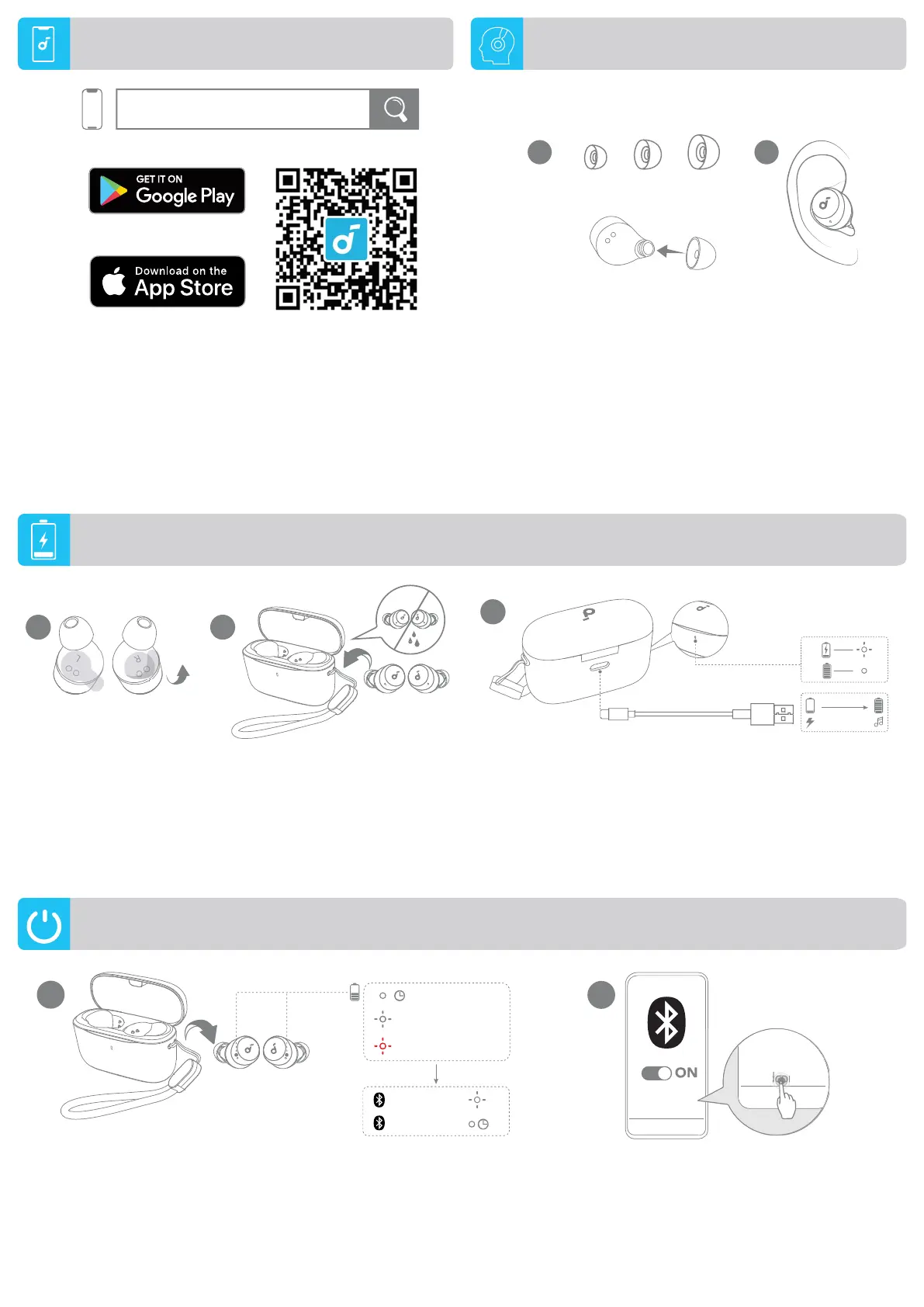
Downloadthesoundcoreapptoenhanceyourexperience(Gaming
mode,Finddevice,EQtuning,Firmwareupdate,andmore).
Ifyourearbudscannotconnectwiththesoundcoreapp,updateitto
thelatestversioninyourmobileappstore.
1.Tearofftheinsulationstickerontheearbudsbeforefirstuse.
2.Placetheearbudsinthechargingcaseandcloseit.
• FullydryofftheearbudsandtheUSB-Cchargingportbefore
charging.
3.Connectthechargingcasetoapowersupplybyusingacertified
USB-Cchargingcable.
• Fullychargeboththeearbudsandthechargingcasebeforefirst
use.
1 2
R
L
60% - 100%
10% - 60%
0% - 10%
1
×2
×2
PAIRING
CONNECTED
1s
0.5s
soundcore A25i
soundcore A25i
2
Select"soundcore A20i / A25i"*onyourdevice'sBluetoothlist
whenconnectingforthefirsttime.
*Thedevicenamemayvarydependingontheregion.
Openthechargingcaseandtaketheearbudsout.Theywill
automaticallypoweronandenterBluetoothpairingmode.
POWERING ON & PAIRING
CHARGING
APP
L
S M
1 2
L
Choosetheeartipsthatfityourearsbest.
WEARING
3
10 min=2 hr
2hr
soundcore
Apple and the Apple logo are trademarks of
Apple Inc.
Google Play and the Google Play
logo are
trademarks of Google Inc.




 To Next Page