
 Need help?
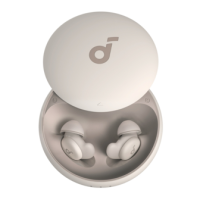
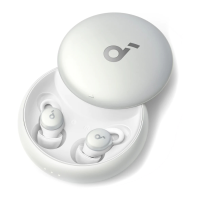
Do you have a question about the Soundcore Sleep A10 and is the answer not in the manual?
Select 'soundcore Sleep A10' from Bluetooth list to connect.
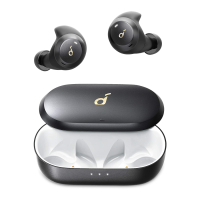
Place earbuds in case, leave open, press and hold case button for 3 seconds.
Delete Bluetooth history, place earbuds in case, press & hold case button for 10s until LEDs flash white 3 times.
Connect earbuds to app to detect and install new firmware versions.
 General
| Control type | Buttons |
|---|---|
| Product type | Headset |
| Product color | White |
| Wearing style | In-ear |
| LED indicators | Yes |
| Operating keys | Multi-key |
| Control unit type | On-ear control unit |
| Recommended usage | Calls/Music/Sport/Everyday |
| International Protection (IP) code | IPX4 |
| Wireless range | 10 m |
| Bluetooth version | 5.2 |
| Connectivity technology | Wireless |
| Impedance | 16 Ω |
| Driver type | Dynamic |
| Driver unit | 5 mm |
| Ear coupling | Intraaural |
| Headphone frequency | 20 - 20000 Hz |
| Maximum input power | 2.2 mW |
| Noise canceling type | Active |
| Intraaural headphones type | Earbuds |
| Microphone type | - |
| Battery type | Built-in battery |
| Charging source | USB |
| Battery recharge time | 2 h |
| Input current (charging case) | 0.5 A |
| Input voltage (charging case) | 5 V |
| Continuous audio playback time | 6 h |
| Right earpiece battery capacity | 25 mAh |
| Battery capacity (charging case) | 580 mAh |
| Continuous audio playback time (with charging case) | 47 h |
| Package type | Box |
| Quantity | 1 |
| Charging case type | Wired |



 To Next Page