App
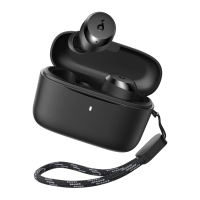
What should I do if I can't find soundcore
A30i in the soundcore app or if soundcore
A30i can't be detected or can not connect to
the soundcore app?
1. Download the latest version of the soundcore app from your App Store (if you already have the soundcore
app, it is recommended to uninstall it and then download it again, overwriting installation is not recommended)
2. Pair your earbuds with your phone. Currently, the soundcore app does not support computers.
3. Open the app, click "Add Device" on the left page, the app will automatically connect to soundcore A30i
(the first time you enter the app, you must agree to enable location permissions)
4. If the connection fails, click Set up Manually-->Add Device-->soundcore A30i to check whether it can be
added manually (if you can't find the corresponding model on this page, you can take a screenshot).
5. Go into the region of the system, switch to English (United States), and switch the system language to
English (United States).
6. If it still fails, please uninstall and reinstall the app and log in again.
If after the above you still cannot connect, provide the mobile phone model, app version, and screenshots in
step 5 to our customer service.
First connection successful, subsequent connections unsuccessful:
1. Check if it's in Dual-Connections mode, if the user has connected to the app on phone A, it will not be
possible to connect to the app on phone B. You can try exiting the app on phone A.
2. Restart the device, or try using a different device.
Operation
Why is the touch control not responsive at
times?
1. Keep your hands clean and dry.
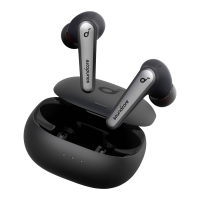
2. Ensure you are touching in the touch area (at the Logo).
3. For a double click, ensure the interval between two clicks is within 400ms. For a single click, ensure the
interval between two clicks is more than 1 second
How do I turn the earbuds on and off?
Power On:
For subsequent use, place the earbuds in the charging case. Just take earbuds out from the charging case to
turn them on.
Please be advised that this model does not support the functionality of turning them on without the case or
manually powering them on.
Power Off:
1) Place the earbuds in the charging case to turn them off.
2) If you take the earbuds out of the charging case and don't wear them or connect them to any device, they
will turn off within 30 minutes.
Please note you can set an automatic shutdown time via the soundcore app.
Can I use the left/right earbud separately? Yes, placing one earbud in the box to power off, allows the other one to be used independently.
How do I receive/hang up a call?
Double-tap the L or R earbud to answer a call, and press and hold either the left or right earbud for 2 seconds
to hang up the call.
How do I switch between previous and next
song?
By default, double-tapping the left earbud will play the next track. Please note the touch function can be
customized via the soundcore app.
How can I adjust soundcore A30i's volume via
the earbuds?
In the soundcore app A30i interface, click on "Controls" to customize volume adjustment.
What do the LED indicators on the case mean?
The Battery Level Indication of Charging Case:
Place the earbuds into charge case, the White LEDs flash, this means the charging case is at low battery and
needs to be charged.
Place the earbuds into charging case, the White LEDs turn on for 4s and then turn off. This means the
charging case has sufficient power.
The Battery Level Indication of Earbuds:
You can check the earbuds battery when connecting them to your phone.
Charging Situation of Charging Case:
When the charging case is charged, the Green LEDs will keep flashing. The Green LEDs will remain on once
fully charged.
How do I switch between ANC and
Transparency modes via the earbuds?
1. Press and hold the Left or Right earbud for 2 seconds to switch modes between ANC and Transparency. You
can also customize the controls via the soundcore app.
2. You can switch ANC, Normal, and Transparency via soundcore app.


 To Next Page
 Loading...