This document is a user manual for the Soundcore Dot 3i earbuds, providing instructions on their operation, pairing, controls, and maintenance.
Function Description
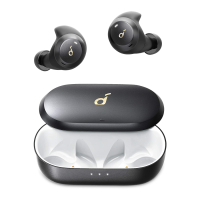
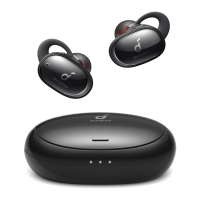
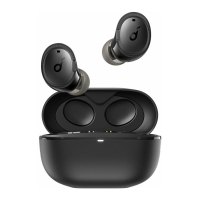
The Soundcore Dot 3i are true wireless earbuds designed for audio playback and calls. They feature active noise cancellation (ANC) and can be controlled via touch gestures on the earbuds themselves or through a dedicated Soundcore app. The earbuds come with a charging case that not only protects them but also recharges them, extending their total usage time. They are designed to automatically power on when the case is opened and power off when placed back into the case and closed. The earbuds support Bluetooth pairing, allowing them to connect wirelessly to various devices such as smartphones, tablets, and computers. They also offer a mono mode, enabling the use of a single earbud while the other is in the charging case.
Usage Features
- Charging: Before first use, both the earbuds and the charging case should be fully charged. The earbuds are placed in the charging case, which is then connected to a power supply using a certified USB-C charging cable. LED indicators on the charging case show the charging status. It is important to fully dry the earbuds and the USB port before charging to prevent damage.
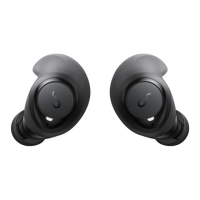
- Wearing: To ensure optimal comfort and sound quality, users should choose the EarTips that best fit their ears. The earbuds come with three pairs of EarTips (Small, Medium, Large), with medium-sized ones pre-installed. Once the correct EarTips are selected, the earbuds are inserted into the inner canal of the ears and gently turned until a comfortable and secure position is found.
- Powering On/Off: The earbuds automatically power on when the charging case is opened. To power them off, they should be placed back into the charging case, and the lid should be closed. If no device is connected, the earbuds will automatically power off after 10 minutes. Manual power-on is also possible by pressing and holding the multi-function button on both earbuds for 3 seconds.
- Bluetooth Pairing:
- Initial Pairing: When taken out of the charging case, the earbuds automatically enter Bluetooth pairing mode, indicated by a flashing white LED on the charging case. Users then select "Soundcore Dot 3i" from their device's Bluetooth list to connect. The LED indicator on the charging case will turn off upon successful connection.
- Pairing with Another Device: To pair with a new device, the earbuds should be placed in the charging case with the lid open. The button on the case should be pressed and held for 3 seconds until the LED indicator on the charging case flashes white, signifying entry into pairing mode.
- Manual Bluetooth Pairing: If the earbuds are out of the charging case and powered off, they can be manually put into Bluetooth pairing mode by pressing and holding the multi-function button on both earbuds for 3 seconds.
- Automatic Reconnection: Once paired, the Soundcore Dot 3i earbuds will automatically connect to the last successfully connected device if it is within Bluetooth range when the earbuds are powered on.
- Mono Mode: This feature allows users to use only one earbud while the other is in the charging case. If one earbud runs out of battery and powers off, the other can continue to be used. During a call, placing one earbud into the charging case will activate the microphone in the remaining earbud.
- Controls: The earbuds feature touch controls for various functions:
- Play/Pause: Press twice (R)
- Next track: Press twice (L)
- Volume up: Press once (R)
- Volume down: Press once (L)
- ANC (Active Noise Cancellation): Press and hold for 2 seconds (R/L)
- Answer a call: Press once (R/L)
- End a call: Press twice (R/L)
- Reject a call: Press and hold for 2 seconds (R/L)
- Mono Mode Controls: In mono mode, play/pause is activated by pressing twice, and volume up is activated by pressing once. Activating Siri or other voice assistant software is done by pressing and holding for 2 seconds.
- Soundcore App: The Soundcore App enhances the user experience by allowing customization of the user interface, adjustment of volume, control of playback, activation of Siri, EQ adjustments, switching ANC modes, and firmware updates. The app is available for download on Google Play and the App Store.
Maintenance Features
- Resetting the Earbuds: If connectivity problems or functional issues arise, a reset may be necessary. To reset, place the earbuds into the charging case and keep the case open. Press and hold the button on the case for 10 seconds until the LED indicator on the charging case flashes red 3 times. This indicates a successful reset, and the earbuds should then be able to connect normally.
- Proper Charging: Always use a certified USB-C charging cable and charger to prevent damage to the device. Ensure the earbuds and USB port are completely dry before charging.

 Need help?
 General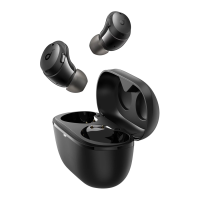


 To Next Page