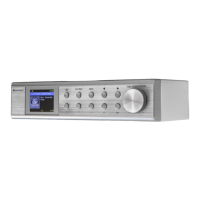
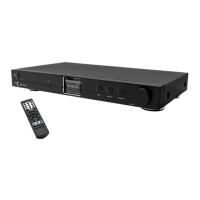
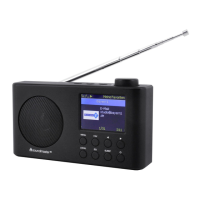
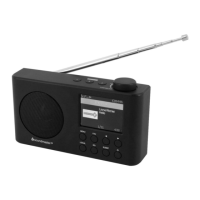
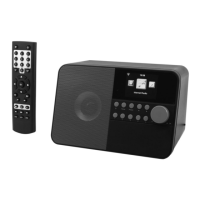
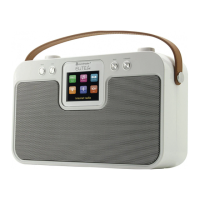
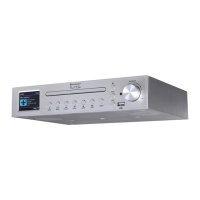
IR3000DAB / English Instruction Manual
Page 1
Contents
1. Main Control Key List ………………………………………………………………… 1
1.1. Remote Control Key List ……………………………………………………….. 2
2. Getting Started/Set up ……………………………………………………………….. 3
2.1. Setup Wizard …………………………………………………………………… 3
3. Operation ………………………………………………………………………………. 4
3.1. Menu Navigation …………………………………………………………………… 4
3.2. Presets …………………………………………………………………………… 6
4. Settings ………………………………………………………………………………… 7
4.1. Equaliser ……………………………………………………………………….. 7
4.2. Network ……………………………………………………………………………. 7
4.2.1. Network Wizard …………………………………………………………. 8
4.2.2. PBC Setup (WiFi Protected Setup) …………………………………… 9
4.2.3. View Settings ……………………………………………………………. 10
4.2.4. Wlan region ………………………………………………………………. 10
4.2.5. Manual Settings ………………………………………………………… 10
4.2.6. Network profile …………………………………………………………… 10
4.3. Time/Date ………………………………………………………………………… 10
4.3.1. Set Time/Date (wizard) …………………………………………………. 11
4.3.2. Auto update (From DAB, FM or network) (wizard) …………………. 11
4.3.3. Set Format (wizard) …………………………………………………… 11
4.4.
4.5. Language ……………………………………………………………………….. 12
4.6. Factory Reset ………………………………………………………………… 12
4.7. Software update ………………………………………………………………….. 12
4.8. Setup Wizard ……………………………………………………………………. 12
4.9. Info ……………………………………………………………………………….. 13
4.10. Backlight ………………………………………………………………………….. 13
5. Internet radio mode …………………………………………………………………….. 13
5.1. Last listened ………………………………………………………………………. 14
5.2. Favourites …………………………………………………………………………. 14
5.3. Browse ……………………………………………………………………………. 14
5.4. Search ……………………………………………………………………………… 15
5.5. My added stations ………………………………………………………………….. 15
5.6. Now playing information …………………………………………………..………. 15
5.7. Internet radio portal registration ………………………………………………….. 16
6. Music player mode (Network) ………………………………………………………… 17
6.1. Shared media ……………………………………………………………………. 18
6.1.1. Wake-on-LAN …………………………………………………………….. 19
6.1.2. Prune servers ……………………………………………………………... 19
6.2. My Playlist ………………………………………………………………………….. 19
6.3. Repeat/shuffle …………………………………………………………………….. 19
6.4. Now playing information …………………………………………………………. 19
6.5. Setting up a music server …………………………………………………………. 20
6.6. Sharing media with Windows Media Player ……………………………………. 20
6.7. Using the “Play To” feature in Windows 7 to stream media …………………… 21
6.8. Use “Play To” in Windows Media Player ……………………………………….. 21
6.9. Use “Play To” elsewhere in Windows 7 ………………………………………… 22



 To Next Page
 General