EasyManua.ls Logo

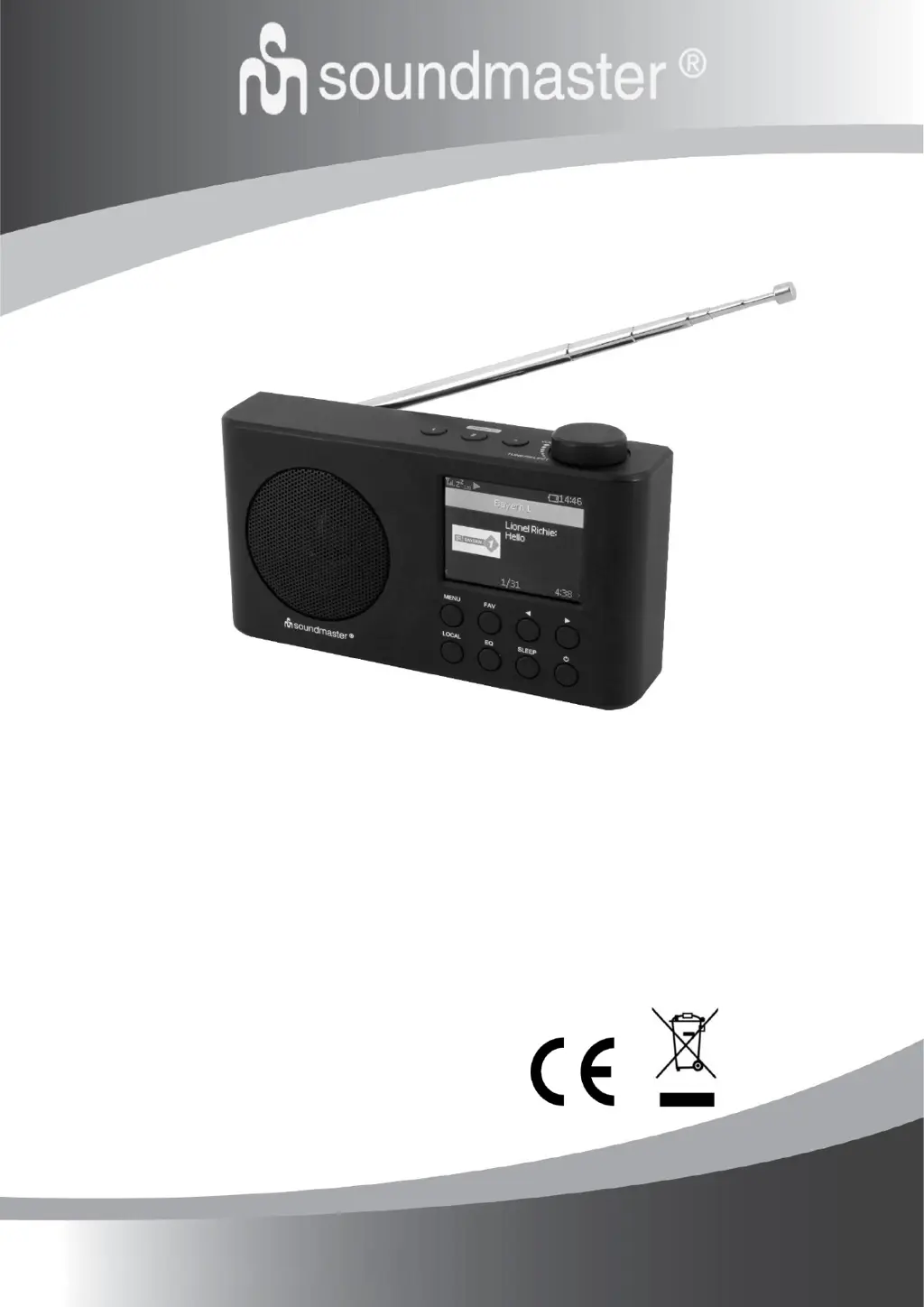
SOUNDMASTER IR6500SW - User Manual

SOUNDMASTER IR6500SW
114 pages
Go to English
Print Icon
To Next Page IconTo Next Page
Loading...
DEUTSCH
ITALIANO
ENGLISH
ČEŠTINA
FRANÇAIS
SLOVENSKÝ
NEDERLANDS
IR6500
Hersteller
Wörlein GmbH Tel.: +49 9103/71670
Gewerbestrasse 12 Fax.: +49 9103/716712
D 90556 Cadolzburg Email. info@soundmaster.de
GERMANY Web: www.soundmaster.de

Questions and Answers

Summary

Safety and Environmental Precautions

Product and Battery Disposal

Guidelines for responsible disposal of the device and batteries.

Electrical and Device Safety

Critical warnings about electric shock, opening the unit, and safe operation.

Usage and Installation Environment

Recommendations for placement, operation in suitable climates, and avoiding hazards.

Device Controls Overview

Front Panel Controls

Description of buttons and display on the front of the radio.

Top and Back Panel Features

Identification of controls on the top and ports on the back.

Setup and Package Contents

Whats Included

List of items provided in the product box.

Initial Installation

Basic steps for setting up the device.

Getting Started and Basic Operations

Power, Volume, and Mode Selection

How to turn the device on/off, adjust volume, and navigate modes.

Initial Configuration: Language and Wi-Fi

Steps for setting the language and connecting to a wireless network.

Power Supply and Charging

Information on connecting power and understanding the charging indicator.

Wi-Fi Network Configuration

Connecting to Your Wi-Fi

Steps to add and manage Wi-Fi access points for connection.

Device Features Overview

Radio Functions: Internet, DAB, FM, Favorites

Accessing and managing various radio reception modes and favorite stations.

Media and System Functions: Media Centre, Bluetooth, Sleep Timer, Configuration

Utilizing media streaming, Bluetooth, sleep timer, and system settings.

Internet Radio Features

Skytune and Local Radio

Exploring global and local radio stations via the internet.

Search and History Functions

Finding stations by search and reviewing listening history.

Playing Internet Radio Streams

Instructions on how to play streams and view broadcast information.

Managing Favorite Stations

Presetting and Recalling Favorites

How to add stations to favorites and recall them.

Editing the Favorite List

Options for reordering, moving, or deleting favorite stations.

Media Centre Functionality

Music Streaming via UPnP;DLNA

How to stream music from network devices using UPnP/DLNA.

Creating and Managing Playlists

Instructions for adding songs to a playlist and clearing it.

Digital Audio Broadcasting (DAB)

Scanning and Selecting DAB Stations

How to scan for and tune into DAB radio stations.

Managing DAB Presets and Information

Adding stations to favorites and viewing broadcast details.

FM Radio Reception

Scanning and Selecting FM Stations

How to scan for and tune into FM radio stations.

Managing FM Presets and Information

Adding stations to favorites and viewing broadcast details.

Manual Tuning

Frequency Tuning Procedure

How to manually tune the radio to specific frequencies.

Bluetooth Connectivity

Pairing and Connecting Bluetooth Devices

Steps for pairing and connecting external Bluetooth devices.

Sleep Timer Function

Setting the Sleep Timer

How to configure the radio to turn off automatically.

Configuration Settings

Wi-Fi Network Settings

Managing Wi-Fi networks, including adding, removing, and IP/DNS settings.

Wi-Fi Channels and Country Selection

Optimizing Wi-Fi performance by selecting appropriate channels and country.

Date, Time, and Time Zone

Automatic and manual settings for date, time, and time zone.

System Settings and Updates

Time Format, Date Format, and NTP

Configuring time display, date format, and network time synchronization.

Language Selection and Local Radio

Choosing the device language and setting local radio region.

DAB and FM Setup

Options for scanning and managing DAB and FM presets.

Playback and Display Settings

FM Setup and Playback Modes

Configuring FM area, presets, and playback options for streaming.

Display Dimmer and Standby Settings

Adjusting screen brightness and standby display.

Equalizer Settings

Customizing audio output with various music genre settings.

Advanced Settings and Maintenance

Buffer Time and Information

Adjusting buffer time for smooth playback and viewing network info.

Software Updates and Reset Options

Procedures for updating software and resetting the device to defaults.

Manage Favorites via PC

Accessing the Embedded Server

Steps to connect a PC and access the device's web interface.

Adding and Managing Station URLs

Inputting station names and URLs to add or edit favorites.

Troubleshooting Common Issues

Wi-Fi Connectivity Problems

Solutions for network down, MAC restrictions, and signal strength issues.

Playback and Reception Issues

Troubleshooting playback interruptions, DAB/FM reception, and no sound.

Manufacturer Information

Company Contact Details

Contact information for Wörlein GmbH, including phone, email, and website.

Manual Download and Copyright

Information on downloading the manual and copyright details.

Technical Specifications

Power, Battery, and DAB;FM Ranges

Details on power input, battery capacity, and frequency ranges for DAB/FM.

Connectivity and Audio Output

Specifications for Bluetooth version, Wi-Fi, and audio power output.

Manufacturer and Importer Declaration

Declaration of Conformity Statements

Statements confirming compliance with Directive 2014/53/EU in multiple languages.

SOUNDMASTER IR6500SW Specifications

General IconGeneral
TypeInternet Radio
ModelIR6500SW
BrandSOUNDMASTER
DAB+Yes
FMYes
Internet RadioYes
BluetoothYes
USBYes
Headphone JackYes
Alarm ClockYes
PresetsYes
Streaming ServicesSpotify Connect
Frequency Range (FM)87.5-108 MHz
Wireless TechnologyWi-Fi
Power Supply230V, 50Hz
Speaker Size3 inches

Related product manuals