MCD4850 / English instruction manual
ENG 7
IV) ERASE OR UNFINALIZE A CD-RW DISC
It is possible to erase the last recorded track or erase a whole record disc (CD-RW only)
a) ERASE ONE TRACK
1. Set the function mode at “ CD-2” and place the CD-RW disc you would like to delete the file.
2. Press the “ Erase “ button (32) at CD stop mode & wait until “ bUSY “ disappear on the LCD (2)
3. Press the “ play/pause ” button (24) to start erasing the last track.
4. Repeat step 2 and 3 to continuous the erasing.
5. Press the “ stop ” button to quite erase mode if necessary
b) ERASE ALL TRACK
1. Set the function mode at “ CD-2” and place the CD-RW disc you would like to delete the file.
2. Press and hold the “ Erase “ button (32) at CD stop mode & wait until “ erase all “ appear on the LCD (2)
3. Press the “ play/pause ” button (24) to start erasing..
4.
The LCD (2) will show “ 0000000 “ to confirm the erase process is completed
.
REMARK :
- This operation cannot be undo.
- The copy CD-RW disc from other system cannot be erased one by one in this unit but may be erase all
is possible.
LISTING TO TAPE
GENERAL OPERATION
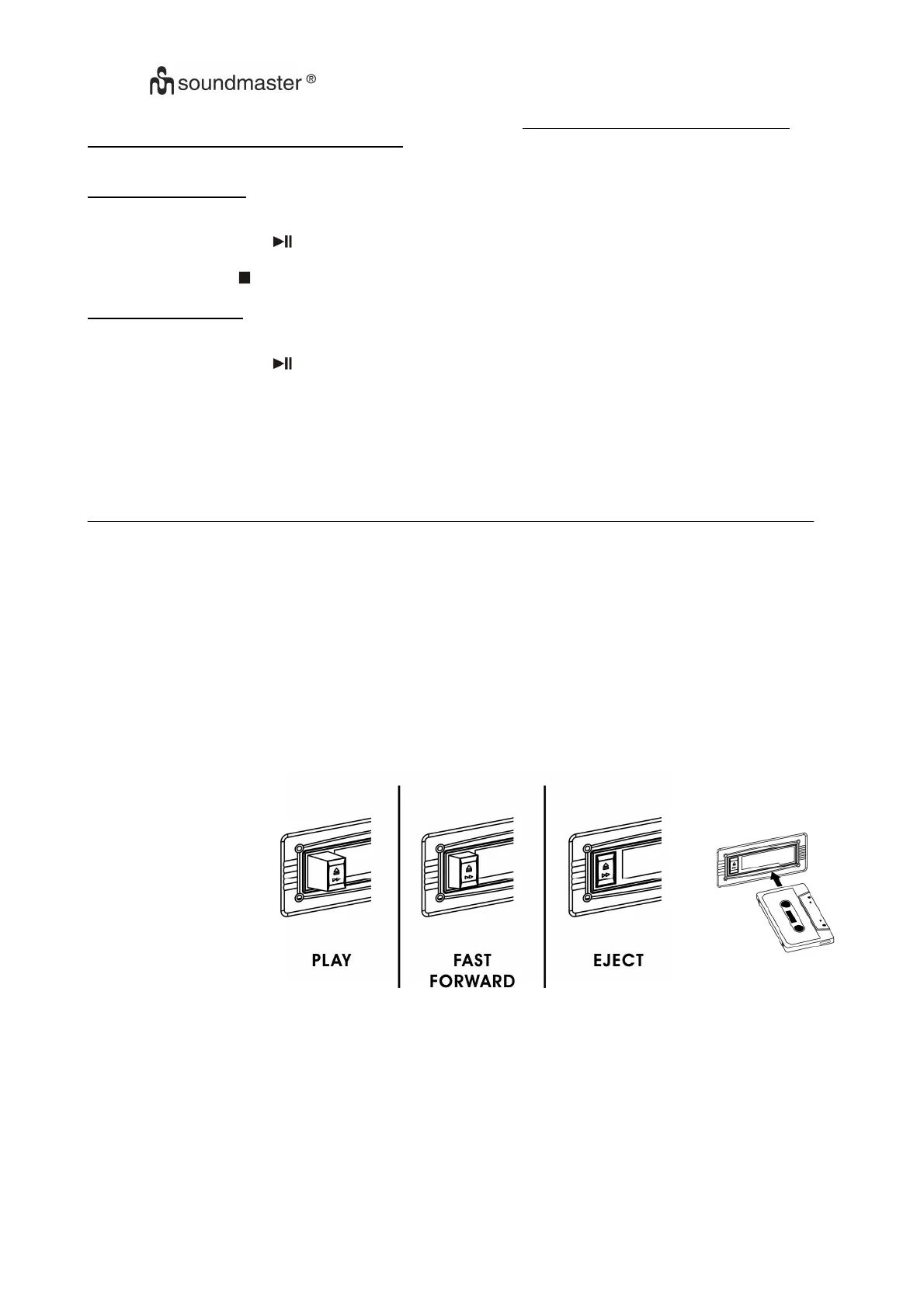
Cassette playback : The system will start the playback automatically after inserting
of cassette tape. Press the tape button(16) to select tape function.
Stop and ejection : Press the “ Tape Forward / Eject “ button (34) completely inwards
and the cassette tape will be ejected though the Cassette Door Cover (35).
The “ Tape Forward / Eject “ button (34) will keeping at lowest height position.
Fast forward : Press the “ Tape Forward / Eject “ button (34) half inwards during
Playback mode, the tape winding forward direction. The “ Tape Forward /
Eject “ button (34) will keeping at middle height position.
Slightly press the “ Tape Forward / Eject “ button (34) again to resume normal
playback. The “ Tape Forward / Eject “ button (34) will resume to the highest
position
.
REMARK
- Make sure the direction is correct when inserting the tape into the system.
- There is some searching noise can be heard and the system cannot perform normal playback function
during fast forward mode.
-
This is recommended to take out the cassette tape from the system every times after listening and
don’t leave the cassette tape inside the system when not under playback mode
.















 To Next Page