EN - 2
GENERAL
POWER(1) – Press to turn unit ON or OFF. FUNCTION(14) – Use to select desired source
The Power Indicator LED(4) will light when (AM/FM RADIO, PHONO or CD) to be listened to.
the unit is on.
VOLUME(15) – Adjusts loudness of
speaker or headphones.
CONNECTIONS
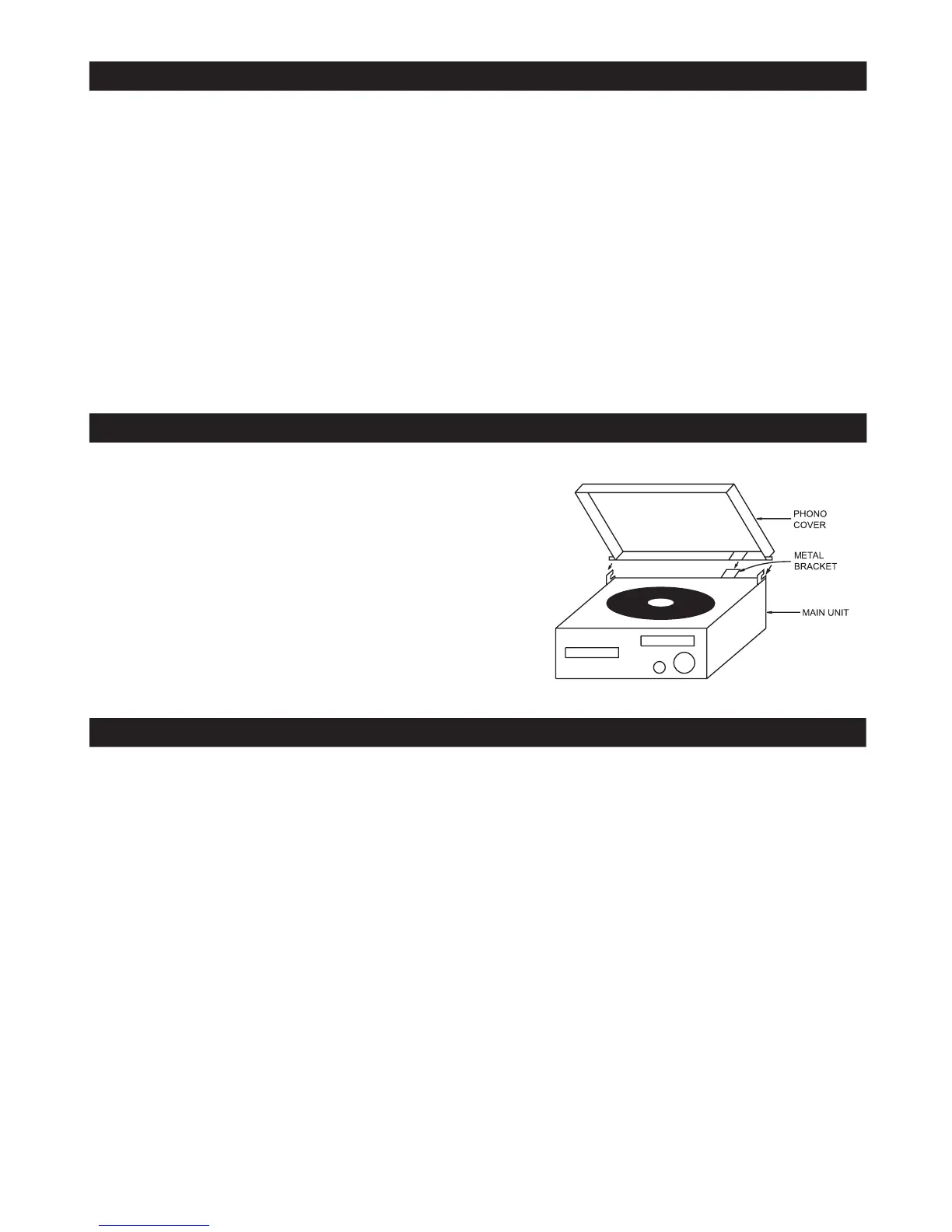
TOP COVER ASSEMBLY
POWER CONNECTION HEADPHONE JACK (PHONES)
Connect the power cord to AC Out- This unit will accept stereo headphones
let only. (not included) with a 1/8” plug and an
impe
dance of 32 ohms or greater.
SP
EAKER JACK
Connect the SPEAKER PLUGS to the The speakers are automatically dis-
EXTERNAL SP
EAKER JACKS(20)
lo
cated on the
conn
ected when headphones are connected
rear of the unit. to the PHONES jack.
This unit should not be connected to
spe
akers with an impedance of less
than 8 ohms, otherwise damage may
result to the unit.
1) Push the metal bracket to rear side
2) Connect the metal bracket to the top
cover
3) Connect the hinge of the top cover to the main
unit














 To Next Page