EN - 5
TROUBLE SHOOTING
Power switch on, but no power Tuner poor FM reception
* Check power to wall plug. * Unravel and fully extend FM wire antenna
* Check AC cord connection to wall for best reception.
plu
g.
Powe
r Indicator is on, but no sound from
speak
er
* Check Function selector.
* Check VOLUME setting
* Make sure headphones are not plugged in.
MAINTENANCE
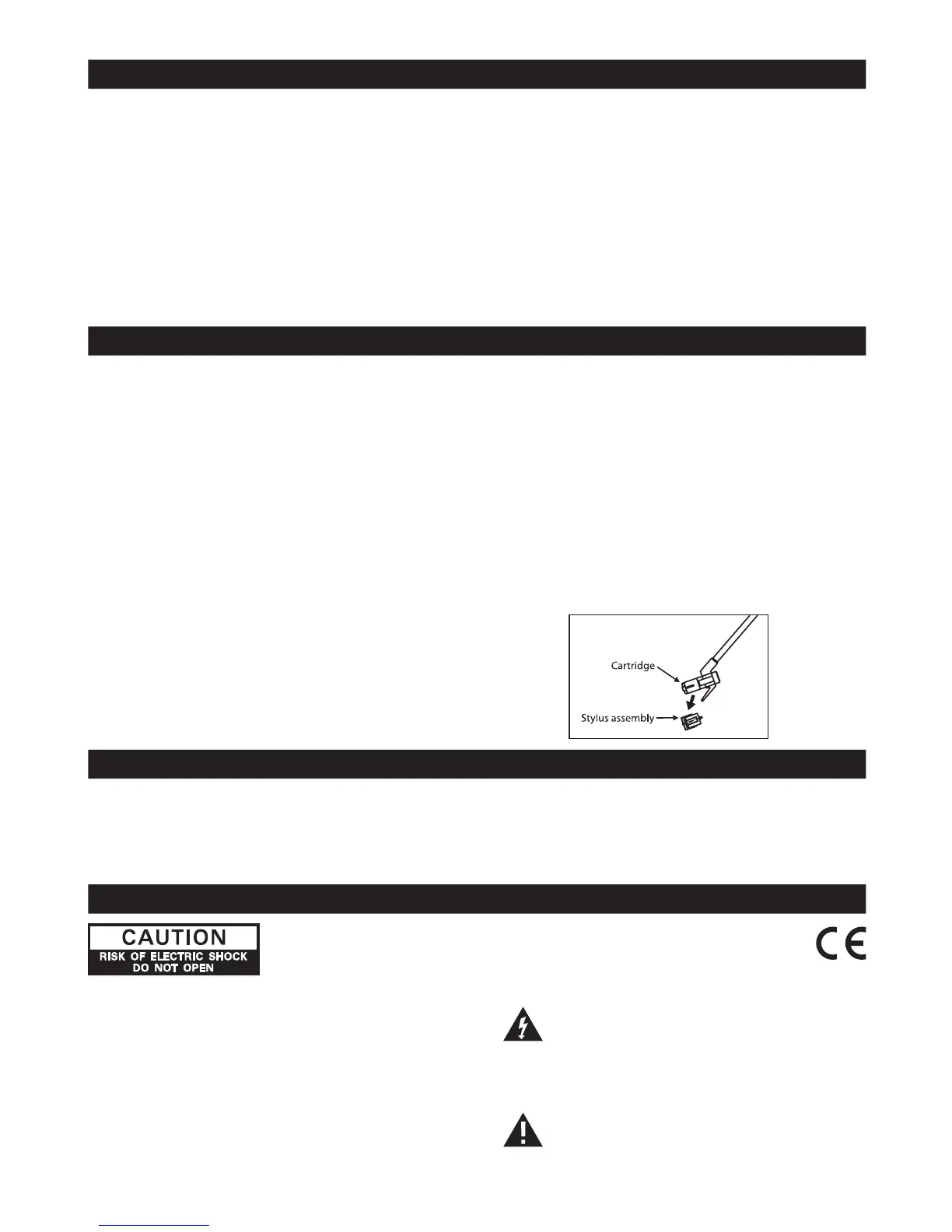
Power switch Stylus (needle) Replacement
After using the unit, turn off the power by Replacement of a worn stylus can be easily
releasin
g the POWER switch. accomplished as follows.
1) Raise the “Tone Arm”.
Cleanin
g the Unit 2) To remove the old stylus, pull out the
To retain the beauty of the unit, simply wipe with stylus assembly in direction shown, holding
soft clean cloth moistened with plain lukewarm the head shell with your other hand.
wat
er. 3) Then install the new stylus by pushing
it gently into the cartridge (hold by the
edge to prevent damage to stylu
s)
until it clicks into place.
Safet
y Instruction:
-
Do not connect the power cord to the
mains supply until all other connections
hav
e been made.
-
Do not expose this apparatus to
li
quid.
SPECIFICATIONS
Power Supply:
AC: 100V ~ 50/60Hz
Radi
o Frequency Coverage:
AM
: 540 - 1600 KHz
FM: 76 - 108 MHz
Specifications subject to change without notice.
MORE INFORMATION
ATTENTION: To reduce the risk of electric shock,
do not remove the cover.There are no user
serviceable parts inside the unit. Refer all servicing
to qualified personnel.
WARNING:
- To reduce the risk of fire or electric shock, do
no
t expose this appliance to rain or moisture.
- Ventilation holes should not be covered.
The lightning flash with arrowhead
symbo
l within the triangle is a warning
sig
n alerting the user of “dangerous
voltage
” inside the unit.
Th
e exclamation point within the triangle
is a warning sign alerting the user of
importan
t instructions accompanying the
produc
t.














 To Previous Page