EN - 3
RADIO
OPERATION
2) Select the desired radio band by select
ing
FUNCTION Knob(14) to AM or FM positi
on.
3)
Turn the TUNING Knob(16) to select the
station frequency as desired.
4) Adjust VOLUME Knob(15) for the desir
ed
volume lev
el.
FM & FM-STEREO RECEPT
ION
Set the FUNCTION Knob(14) at FM positi
on.
Programs are received in mono mode. W
hen
Stereo signals are weak, it is preferable
to
receive the program in mo
no.
Press MONO/ST. Knob(6) at FM ST position
for
receiving stereo programs. The FM STE
REO
Indicator(7) lights up to show FM stereo programs.
Press MONO/ST. Knob(6) again to clear ste
reo
progra
m.
Note:
Remove the stylus protector.
Be sure that the tone arm is detached from
the tone arm rest before operation and re-
se
cu
red again afterward.
1) Press the POWER Knob(1) to ON. 6) Place the tone arm on the desired position.
2) Set the FUNCTION Knob(14) to the PHONO. 7) Adjust VOLUME controls(15) to the desired
3) Set the speed selector to the proper position sound level.
depending on the record to be played. 8) At the end of the record, the platter will auto-
4) Place the record on the platter (if required, matically stop rotation. Lift the tone arm from
use the 35/45/78 rpm adaptor) the record and return it to the rest.
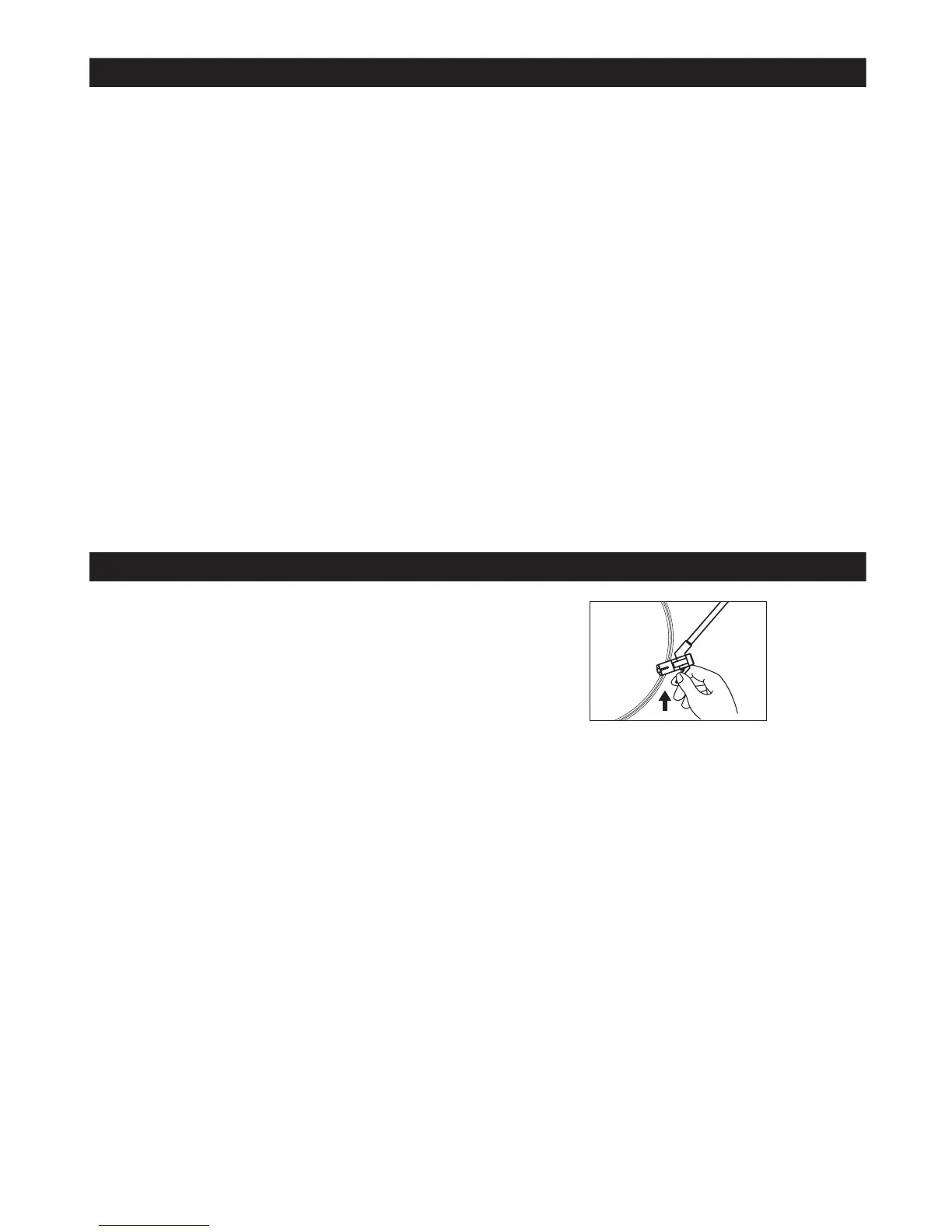
5) Lift the tone arm like the diagram shows 9) To stop manually, lift the tone arm from the
from the rest and slowly move it to the record, and return it to the rest.
record side. The platter will begin to rotate.
1) Turn the unit “ON” using the POWER
Knob(1).
HINTS FOR BEST RECEPTION
FM: The receiver has a built-in FM wire
antenna(17) hanging from the rear cabinet.
This wire should be completely unraveled and
ext
ended for best reception.
AM : This unit is equipped with a built-in
directional ferrite antenna. Rotate the unit
to get the best reception.
PHONO
Remark: As some kind of record the Auto-Stop area was out of the unit setting, so it will stop before the last
track finish, in this case, select the Auto-Stop switch (18) to OFF position, then it will run to the end of the
record but will not stop automatically (Turn off the unit by Power knob (1) or switch back the Auto-Stop
switch (18) to ON position to stop the platter rotate), put back the tone arm to the rest.














 To Next Page