Caution:
Usage of controls or adjustments or performance of procedures other than those specified
herein may result in hazardous radiation exposure.
This unit should not be adjusted or repaired by anyone except qualified service personnel.
Installation
Unpack all parts and remove protective material.
Do not connect the unit to the mains before checking the main voltage and before all other
connections have been made.
Do not cover any vents and make sure that there is a space of several centimeters around
the unit for ventilation.
Connection
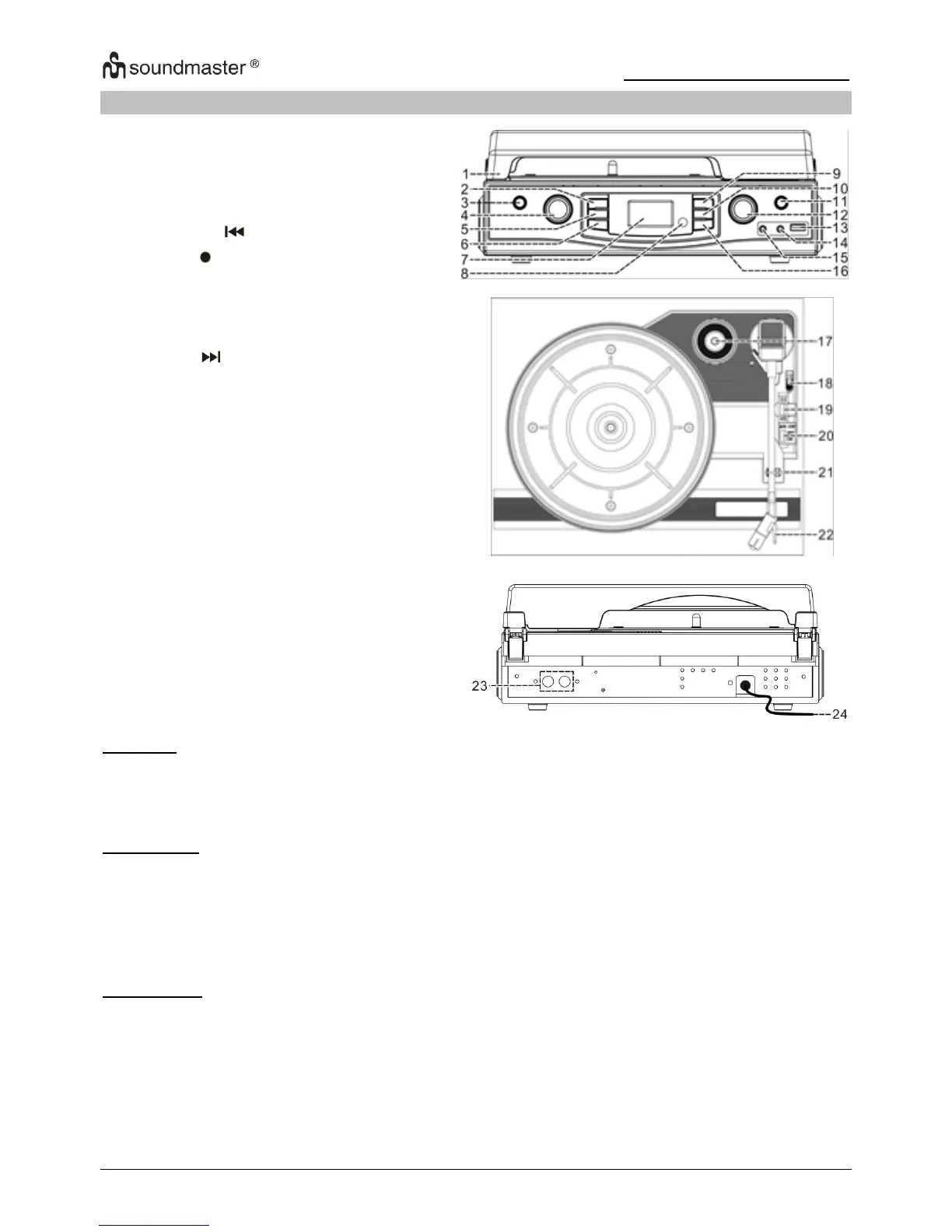
1. Connect the power cord (24) to AC outlet
2. When you first plug the unit into the mains, the LCD display (7) will show “ 0 : 00 ”.
3. Turn on the unit by “ON/OFF/Volume” knob (12), if the LCD display (7) is on with
backlighting, it means the power supply is normal. Now your system is ready to play the
music.












 To Next Page