EasyManua.ls Logo

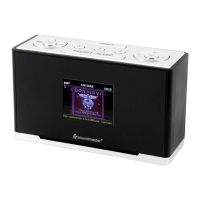
SOUNDMASTER UR240 - Location of Controls; Basic Operation

SOUNDMASTER UR240
Print Icon
To Next Page IconTo Next Page
To Previous Page IconTo Previous Page
Loading...
UR240 / English Instruction Manual
1
LOCATION OF CONTROLS
INSTALLATION
Content of delivery
Main Unit
AC Adapter
Instruction manual
AC Adapter
Use only the supplied AC adapter
1. Make sure that your mains supply matches the type plate of the mains adapter.
2. Connect the AC adapter cable to the DC power jack and the AC adapter to a wall outlet.
BASIC OPERATION
Unit on/off
Press the “STANDBY” button to turn on or off the unit.
Selecting modes
In on mode, press the “MODE” button to switch between DAB or FM mode.

1
TUNE
2
STANDBY
3
DIMMER
4
MODE
5
VOL +
6
MENU/INFO
7
TUNE
8
ENTER
9
PRESET
10
DIRECT PRESET STATION 1-3
11
SNOOZE
12
AL 1
13
VOL -
14
AL 2
15
DISPLAY
16
HEADPHONE JACK
17
SPEAKER
18
ANTENNA
19
DC JACK

Other manuals for SOUNDMASTER UR240

Related product manuals