4
Initial Setup Guide
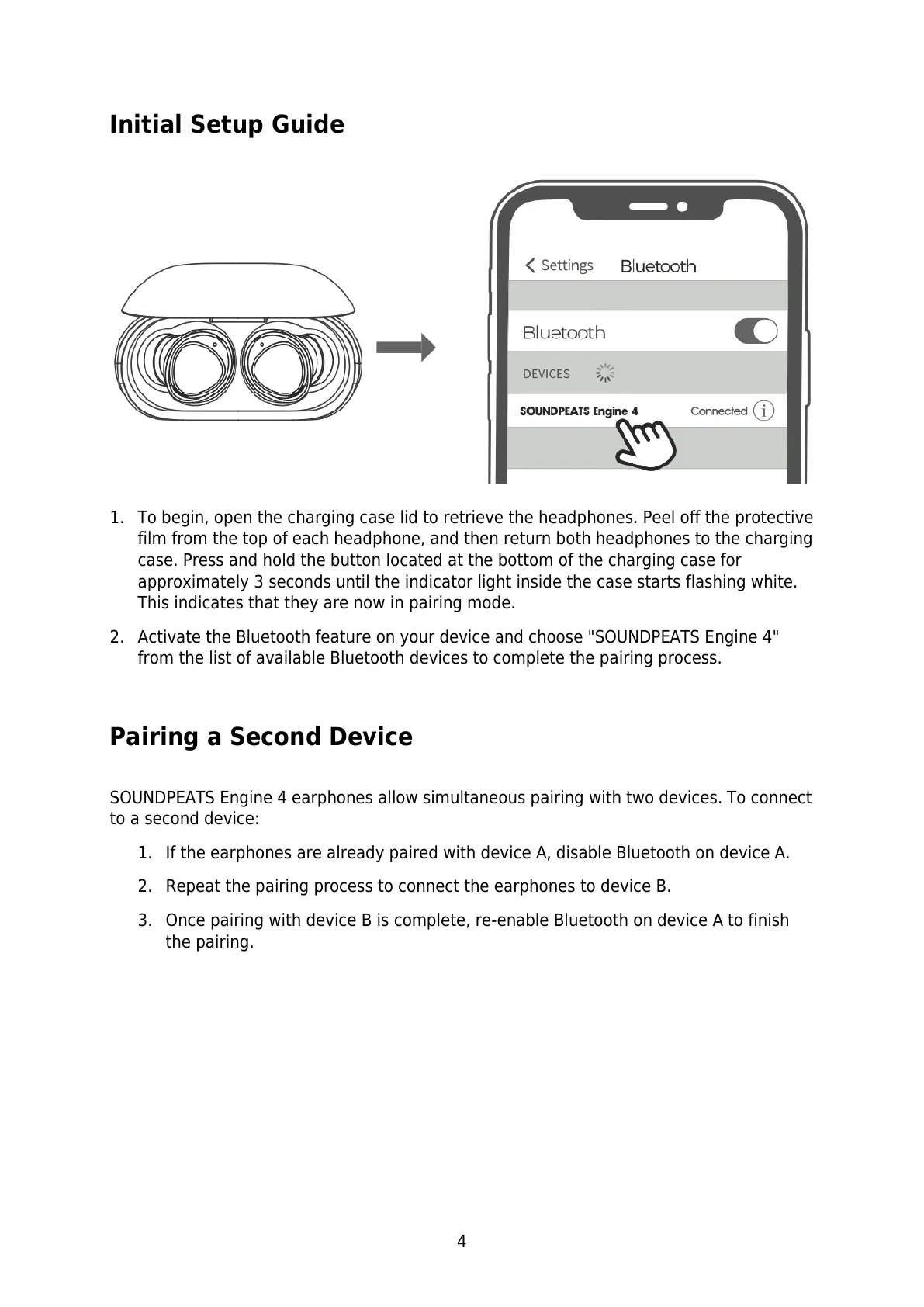
1. To begin, open the charging case lid to retrieve the headphones. Peel off the protective
film from the top of each headphone, and then return both headphones to the charging
case. Press and hold the button located at the bottom of the charging case for
approximately 3 seconds until the indicator light inside the case starts flashing white.
This indicates that they are now in pairing mode.
2. Activate the Bluetooth feature on your device and choose "SOUNDPEATS Engine 4"
from the list of available Bluetooth devices to complete the pairing process.
Pairing a Second Device
SOUNDPEATS Engine 4 earphones allow simultaneous pairing with two devices. To connect
to a second device:
1. If the earphones are already paired with device A, disable Bluetooth on device A.
2. Repeat the pairing process to connect the earphones to device B.
3. Once pairing with device B is complete, re-enable Bluetooth on device A to finish
the pairing.



 To Next Page