SOUNDPEATS
BLUETOOTH
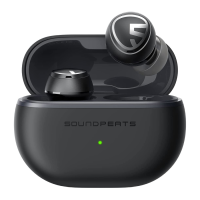
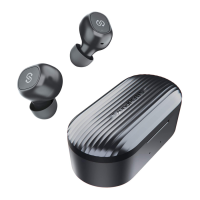
How to pair SoundPEATS Mini HS?
Open the charging case lid and remove both earphones from the case, then
tear off the insulating film, and place them back into the case.
1. The earphones automatically pair with each other after being removed from
the case. LED indicator light on main earphones flashed in red and white light
alternately, the second earphone stays in solid white light.
2. Activate Bluetooth on the device, and choose"SOUNDPEATS Mini HS" from
the Bluetooth list to pair.
Multi-Point Connection
SOUNDPEATS Mini HS supports connecting with two devices simultaneously.
1. Turn off the Bluetooth on Device A after successfully connecting.
2. Repeat the pairing steps to pair the earphones to Device B.
3. Open the Bluetooth on Device A and reconnect.
How to reset SoundPEATS Mini HS?
1. Clear the paring record from your device.
2. Place back both earphones into charging case and make sure they are in
charging status.
3. Press and hold both buttons for 10s until both LEDs flash in red and white
twice, reset complete.
Why is the Bluetooth connection unstable sometimes?
When using the earphones close to personal
computers, Wi-Fi routers, microwave ovens,
refrigerators, etc.
Refrigerators, microwave ovens, Wi-Fi routers, personal
computers, etc. are devices that emit radio waves.
The earphones may be affected by these radio waves when
using them in a location with a mixture of multiple radio
waves.
Please use the earphones
away from Wi-Fi routers,
personal computers,
microwave ovens,
refrigerators, etc. in order to
avoid radio wave
interference.




 To Next Page