22
TROUBLESHOOTING
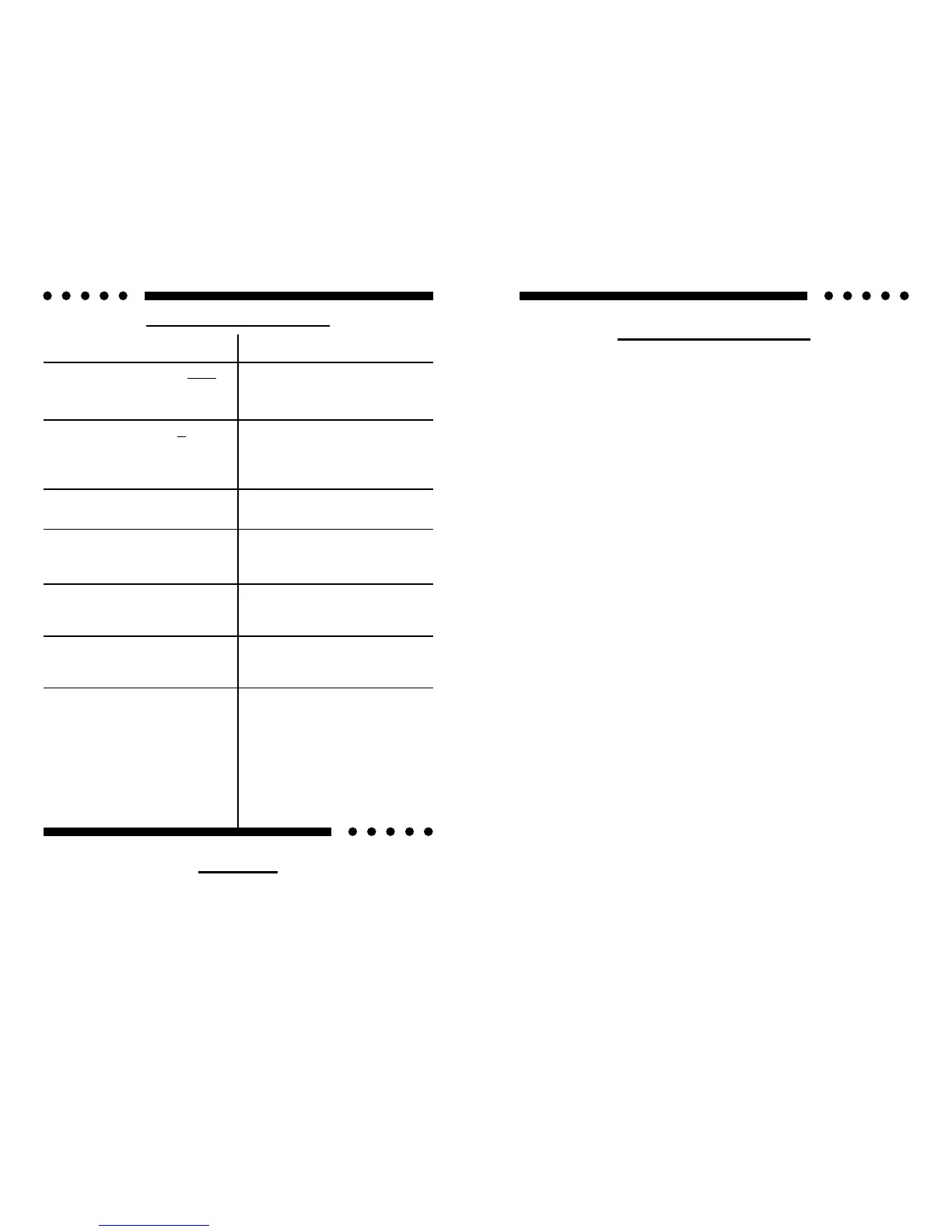
PROBLEM CAUSE
No sound and power LED is not lit
• No power or ground at amp
• No remote turn-on signal
• Blown fuse near battery
No sound, a power LED is lit, and
the AIRBASS™ option has not
been added.
• No signal input
• The AIRBASS™ switch is in the
"IN" position. Move it to the
"OUT" position
Fault LED is lit
• Amp power supply fuse is blown
or missing
Repeatedly blown amp fuse, fre-
quent activation of Smart Power
Supply Circuit
• Speaker or leads may be shorted
• Verify adequate amplifier ventila-
tion
Not enough input sensitivity while
using the Balanced input
• Be sure both Left and Right Input
Signal Switches are set to the
"BAL" position
Left and Right Input Overload indi-
cators lighting
• Input signal level is too high - re-
adjust input gains, or select the
0.5-5V input signal level range
Alternator whine while using Un-
balanced RCA inputs
• Make sure the channel 2 Input
Signal Switch is in the "UNBAL"
position.
• Try the Input Signal Switch for
channels 1, 3 & 4 in the "BAL"
position; leave the switches in
the quietest position. This will
not affect the performance of the
amplifier.
SERVICE
Your Soundstream REFERENCE644s amplifier is protected by a limited
3
TABLE OF CONTENTS
Design Features ................................................................. 4 - 5
Reference644s Diagram .................................................... 6 - 7
High Power / Auto High Current™ Power Supply Design ....... 8
Selecting Input Modes ............................................................. 9
Balanced / Unbalanced Input ................................................ 10
Wiring & Wiring Diagram ................................................ 11 - 12
Installation and Mounting ...................................................... 13
Level Setting ......................................................................... 14
Crossover Adjustments ......................................................... 15
AIRBASS™ ........................................................................... 15
Sample Systems .............................................................. 16-21
Troubleshooting .................................................................... 22
Service .................................................................................. 22
Protection Circuitry ................................................................ 23
Specifications ................................................................ ....... 23




 To Next Page