EasyManua.ls Logo

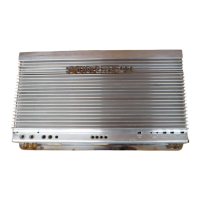
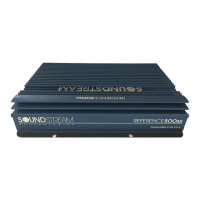
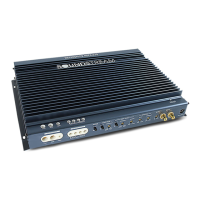
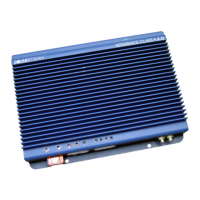
Soundstream Reference Class A 3.0 - User Manual

Soundstream Reference Class A 3.0
20 pages
Print Icon
To Next Page IconTo Next Page
Loading...
REFERE'NCE
ClassA3,O
ClassA6.0
Power Amplifiers
OWNERS MANUAL
AND
INSTALLATION GUIDE
SOUNDSTREAkā€
TECHNOLOGIES

Questions and Answers

  • S
    Samantha WigginsJul 31, 2025
    What to do if my Soundstream Amplifier has no sound and LEDs are not lit?
    • E
      Elizabeth GutierrezJul 31, 2025
      If your Soundstream Amplifier has no sound and the LEDs are off, the issue might stem from several causes. First, check the power and ground connections to ensure they are secure. Second, verify the remote connection for the remote turn-on signal. Finally, inspect the fuse near the battery and replace it if it's blown.
  • M
    Monique SmithAug 16, 2025
    Why does my Soundstream Reference Class A 3.0 keep blowing fuses?
    • M
      Michael EricksonAug 16, 2025
      If the Soundstream Amplifier's fuse blows repeatedly or the Smart Power Supply Circuit activates frequently, consider the following: * Check the speaker configuration. If the amp is in 'High Power' mode, switch it to 'High Current' mode if the speaker load is less than 1 ohm. * Verify the speaker connections to ensure that the speakers or leads are not shorted. * Ensure the amplifier has adequate ventilation.

Summary

REFERENCE Class A Amplifier

Design Features

Details the unique design aspects and construction quality of the amplifiers.

REFERENCE POWER SUPPLY DESIGN

Passive and Electronic Crossovers

Discusses the amplifier's ability to switch modes and the use of passive crossovers.

6 dB;OCTAVE PASSIVE CROSSOVER CHART

12 dB;OCTAVE PASSIVE CROSSOVER CHART

SERIES AND PARALLEL WIRING

LSE.Q THEORY AND USE

INSTALLATION STEP 1

Setting the High Power;High Current Switch

Guides on configuring the amplifier for high power or high current modes based on impedance.

INSTALLATION STEP 2

Coherent Stereo;Mixed-Mono;Bridged Mono

Explains the different operating modes for stereo, mixed mono, and bridged mono configurations.

INSTALLATION STEP 3

Wiring

Details power, ground, circuit breaker, and fuse requirements for safe installation.

Wiring (cont..)

Wiring Diagram

Provides a visual guide for connecting power, ground, speakers, and head unit.

INSTALLATION STEP 4

Installation and Mounting

Covers amplifier location, switch settings, mounting, wiring checks, and power-up procedure.

INSTALLATION STEP 5

Level Setting

Describes the procedure for adjusting input levels for optimal signal-to-noise ratio and output.

Protection Circuitry

Troubleshooting

Specifications

Soundstream Reference Class A 3.0 Specifications

General IconGeneral
Channels3
Frequency Response10Hz - 30kHz
Signal to Noise Ratio>100 dB
Damping Factor>200
Crossover Slope12dB/octave
Fuse Rating30A
Bridged RMS Power @ 4 Ohms150W x 1
Input Sensitivity200mV - 2.0V
Bass Boost0dB - 18dB

Related product manuals