Chapter 5 Function parameter
76
DI9 Terminal active state set
(0~1, same as the units digit)
DI10 Terminal active state set
(0~1, same as the units digit)
For setting the digital input terminal of the active mode. When selecting high effective,
appropriate DI terminal and COM communicated effectively, disconnect invalid. Select is low
effective, appropriate DI terminal and COM connectivity invalid, disconnect effective。
DI terminal for setting status changes, changes in the delay time of the inverter.
Currently only DI1, DI2, DI3 with delay time setting function.
Define the input terminal repeat
0:
unrepeatable;
1:
repeatable
0: unrepeatable Two different multi-function input terminals can not be set to the same
function.
1: repeatable You can repeat two different multi-function input terminal can be set to the same
function.
Keyboard encoder set value start point
Keyboard encoder set value end point
Keyboard encoder setting value
Display keyboard encoder value, through the keyboard encoder can modify Settings under
monitoring menu.
Keyboard encoder Settings can be used as frequency analogy, setting frequency = maximum
frequency x keyboard encoder Settings.
Eg.: Keyboard encoder Settings can be used as a PID given value, PID given value=
Keyboard encoder Settings.
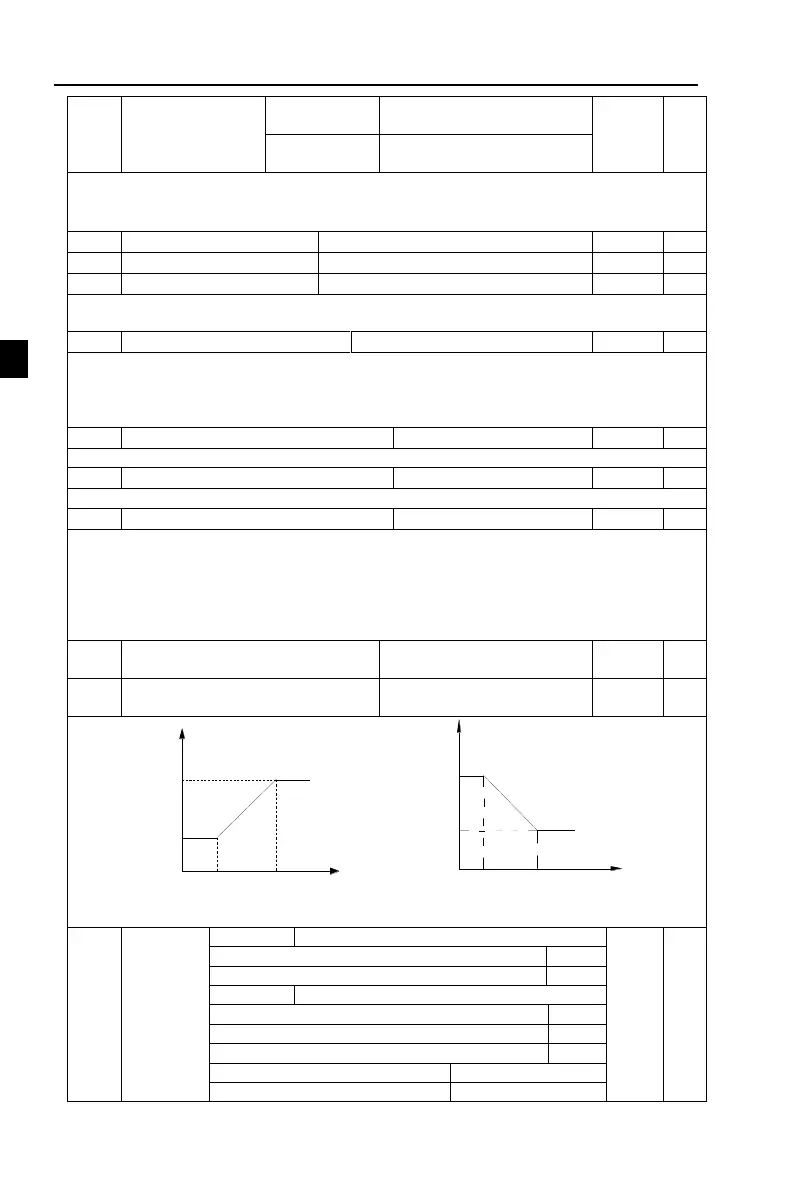
Keyboard encoder X1 correspondent
value is Y1
Keyboard encoder X2 correspondent
value is Y2
The end of the
corresponding value
The start of the
corresponding value
end
start
The end of the
corresponding value
The start of the
corresponding value
end
start
Figure 5-8:Keyboard encoder X correspondent value is Y
Keyboard encoder power-down to save state
Keyboard encoder setting stop keep
With stop command, zero clear
Cleared at the end of down time


 To Next Page
 Loading...