Need help?
Do you have a question about the Spaceman 6220 Series and is the answer not in the manual?
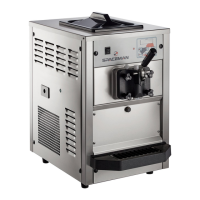
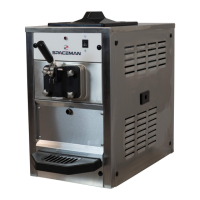
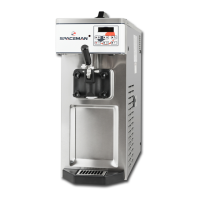
Introduces the Spaceman soft serve machine and its capabilities.
Explains manual icons and provides critical safety instructions for operation.
Covers unpalletizing, inspection, placement, cleaning, and preparation for first use.
Outlines the fundamental steps from product addition to dispensing.
Illustrates and names the primary components of the soft serve machine.
Details different beater types and optional accessories available.
Guidelines for positioning the machine, including ventilation and environmental considerations.
Electrical connection requirements and specifications for the machine's refrigerant.
Explains the importance of weekly cleaning and sanitizing for optimal performance.
Recommends frequencies for disassembly, cleaning, lubrication, and part replacement.
Steps to switch off the machine and prepare the workspace for cleaning.
Detailed instructions for taking apart air pumps and the main dispensing door.
Guides the removal of different beater types and their associated parts.
Instructions for removing the internal and front drip trays.
Specifies the process for hand-washing all removable machine parts using safe cleaners.
Ensures the machine is switched off before beginning the assembly process.
Guides the installation of beater assemblies, including lubrication and proper alignment.
Reassembly instructions for the dispensing door, including O-rings and valves.
Details the process of putting together and installing the air pump and its associated tubing.
Covers installing final components and running the sanitization wash cycle.
Identifies the mix low indicator, display screen, and touch switch panel.
Explains the function of each button on the control panel.
Interprets the information shown on the machine's display screen.
Step-by-step guide to filling the hopper and priming the machine.
How to start the freezing process and achieve desired product consistency.
Procedures for dispensing product and using the quick freeze function.
Adjusting air mix (overrun) and performing a machine power reset.
How to activate and deactivate the wash cycle for cleaning.
Instructions for using standby mode to conserve energy and product.
How to use the defrost mode for easier draining and cleaning.
Steps for preparing the machine at the end of the day.
Guide to modifying viscosity and hopper temperature settings.
Procedure for updating the machine's internal date and time.
Configuring automatic programming for machine functions.
Changing the display language for the machine interface.
A reference table for viscosity settings based on machine model and voltage.
Lists parts numbers and descriptions for the optional brush kit.
Diagrams showing O-rings and seals for various dispensing door models.
Identification of O-rings and seals for optional parts like feed tubes and air pumps.
Solutions for low temp, motor overload, machine protect, and sensor errors.
Resolving motor amplifier error codes, likely power board related.
Addresses issues with hopper temperature and product freezing.
Fixes for product leaks and problems with product consistency being too soft.
Diagnosing automatic shutdowns and abnormal noises from the machine.
 General
| Brand | Spaceman |
|---|---|
| Model | 6220 Series |
| Category | Ice Cream Maker |
| Language | English |

 To Next Page