18
Using the
step tracker
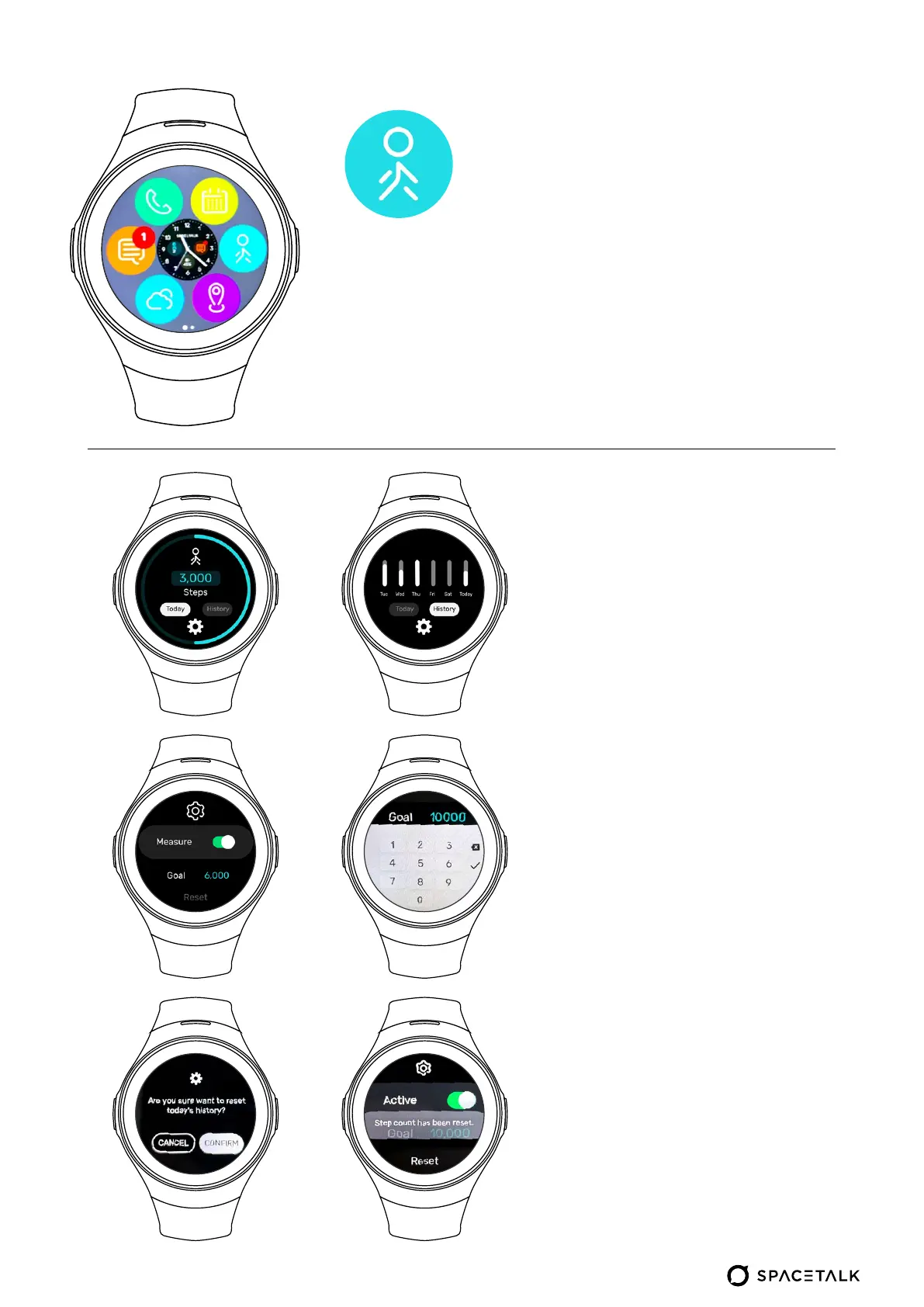
Today & History:
• The Today option will show you
the steps for your current day
12:00am – 11:59pm
• History shows you your daily
steps from today and the last
5 days
Settings:
• Active: Toggling the ’Active’
button turns step tracking on
or off.
• Goal: Change your daily step
count goal with a number
between 2,000 and 99,999.
Tap on the blue number and
enter the amount. When you
are done, make sure to tap on
the tick
• Reset: Tapping reset will
prompt to confirm if you would
like to reset today’s step count
history/progress


 To Next Page