54
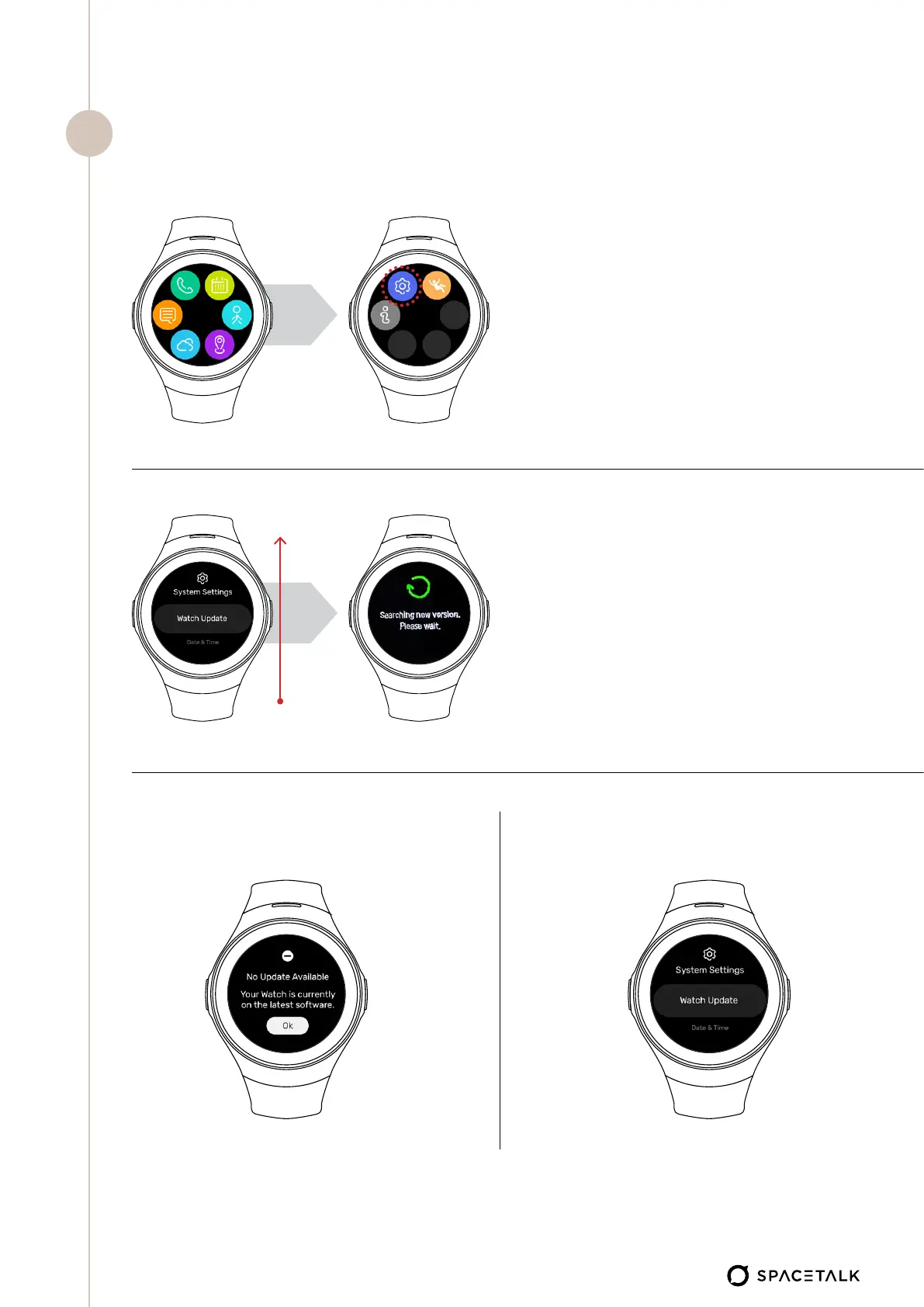
• Press power button
• Tap on watch screen so that the
app menu appears- Swipe from
right to left
• Tap on the blue ‘settings’ menu
Watch Is Up-to-date Watch Requires Update
• Swipe from bottom to top on the
screen until you see ‘Watch Update’
Check for available update
6


 To Next Page