1.2
How to connect your landline on a Fibre connection
Fibre
Box
(ONT)
If
you
have
integrated
wiring
Locate a jackpoint within your
house and plug your phone
directly into the jackpoint.
If
you
don’t
have
integrated
wiring
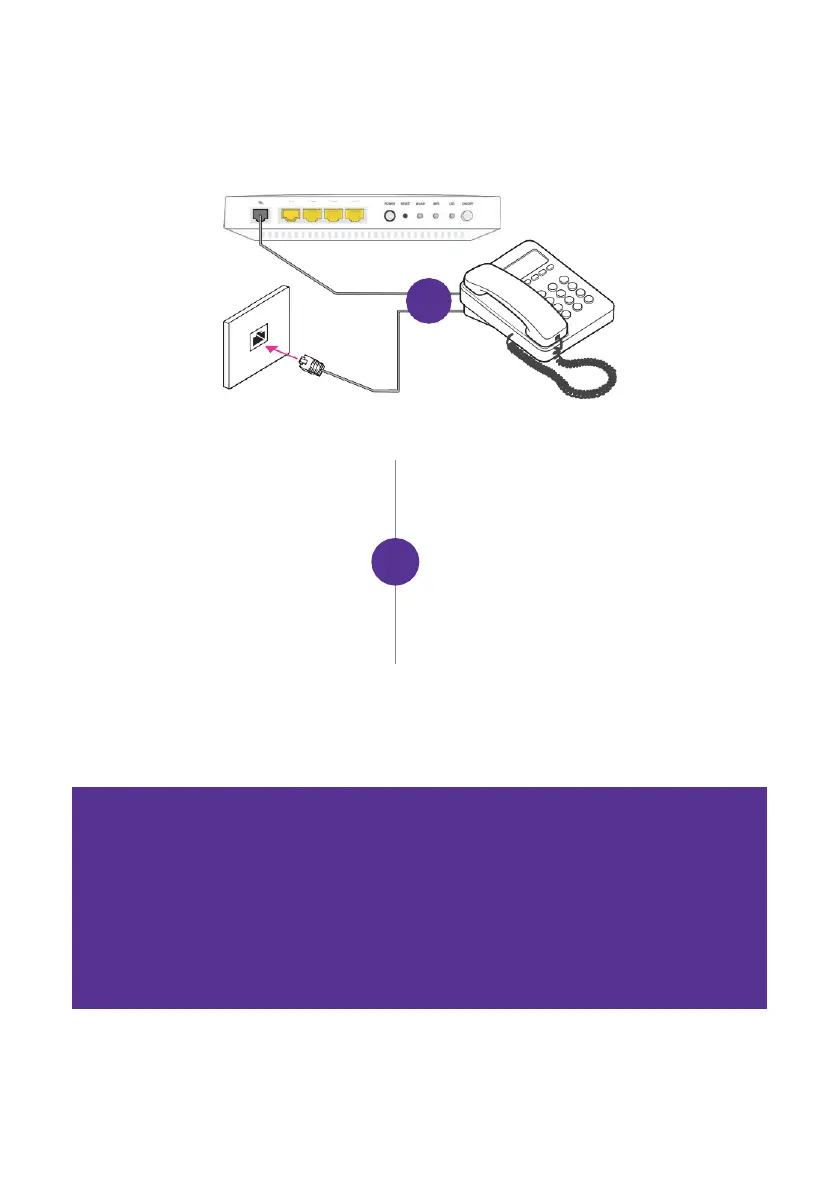
From your Fibre box (ONT), plug
your phone into the Fibre box’s
phone port.
NOTE: The phone port can be
labelled POTS1, TEL or TEL1. If the
light doesn’t come on and your Fibre
box has another phone port, plug in
to POTS2 or TEL2 instead.
1. From your Fibre box (ONT),
check if there’s a cable already
plugged in to the phone port
of the Fibre box (ONT).



 To Next Page