3
1. INTRODUCTION
This document is a user manual for the FORTUNE 2 push-button phone from SPC.
Here you will find information about the first steps you need to take in order to use
your cell phone and about its various functions.
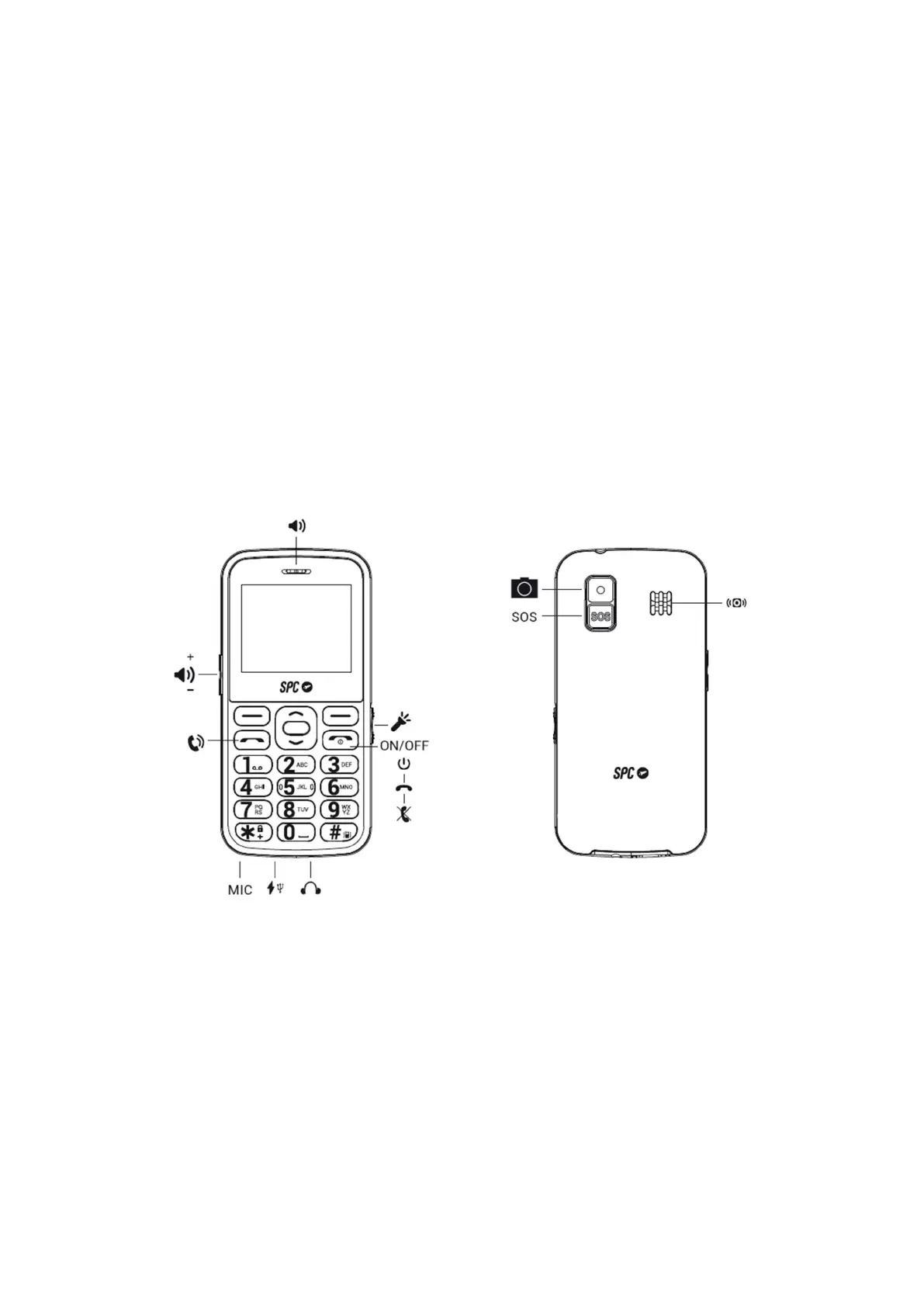
2. POSITION OF THE CONTROLS
3. USEFUL TIPS
- To access the main menu, open the flap and press the upper left button (PONER
ICONO) while the phone is in standby mode.
- To navigate through the main menu and the various submenus, press the edges
of the middle round button up or down.
- The top left button performs the action shown at the bottom left of the screen.
- The top right button performs the action shown at the bottom right of the screen.
- To confirm a selection, press the middle OK button or the corresponding upper
button.



 To Next Page