4
- To return to the home screen, simply press the hang up button .
4. FIRST STEPS BEFORE SWITCHING ON
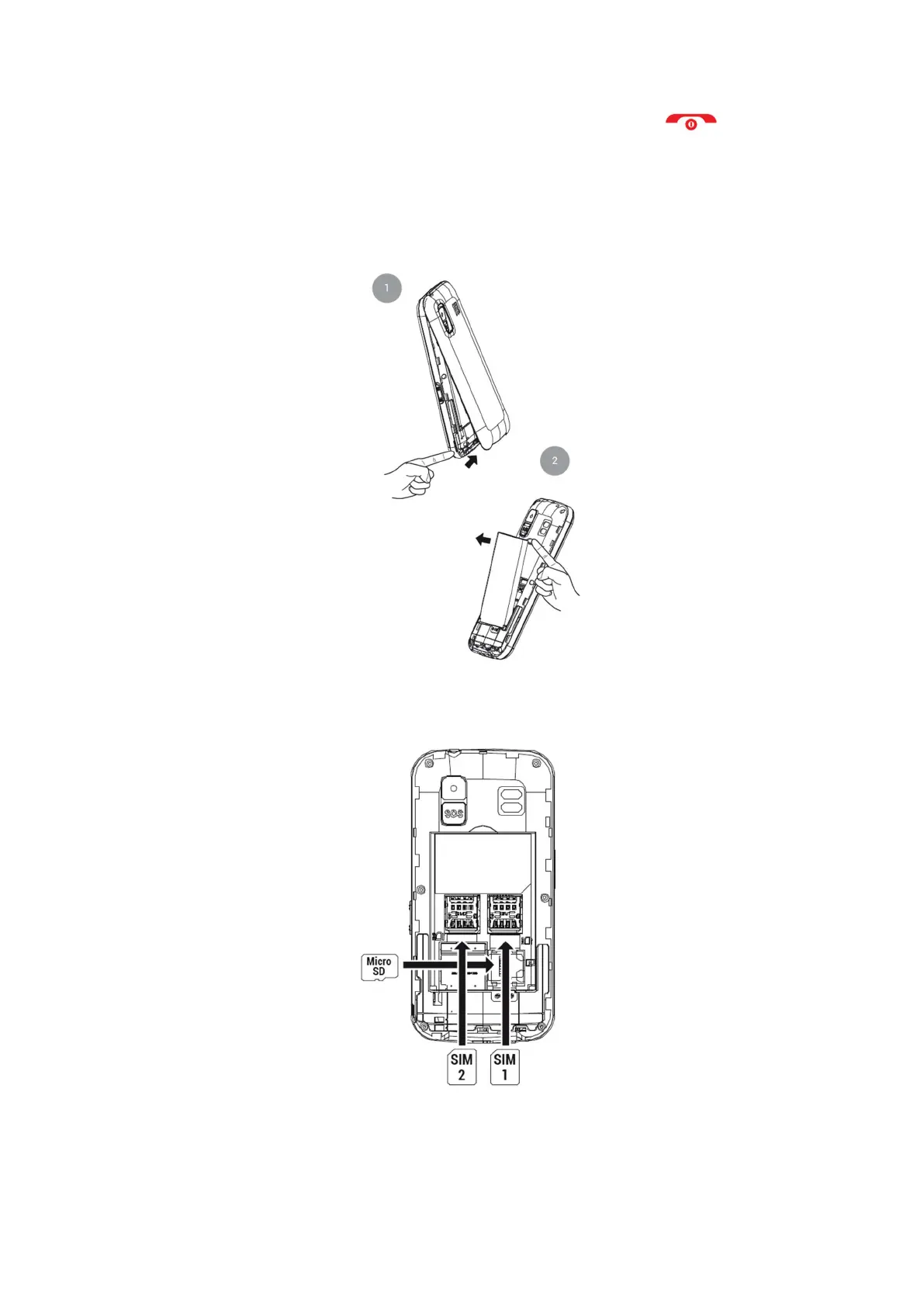
Lift the battery cover by the tab on the bottom of the phone and remove the battery by
lifting it out of the recess at the top of the battery compartment.
Insert the SIM card(s) (MicroSIM format) in the indicated position, paying attention to the
gold contacts on the phone and card(s).
If necessary, insert the Micro SD memory card in the specified location.



 To Next Page