101
9-2. App Viewer for Android Phone
1. Enter the Android Play Store.
2. Search “Speco Player” in the Android Market and install the “Speco Player” app.
9-2-1. Live
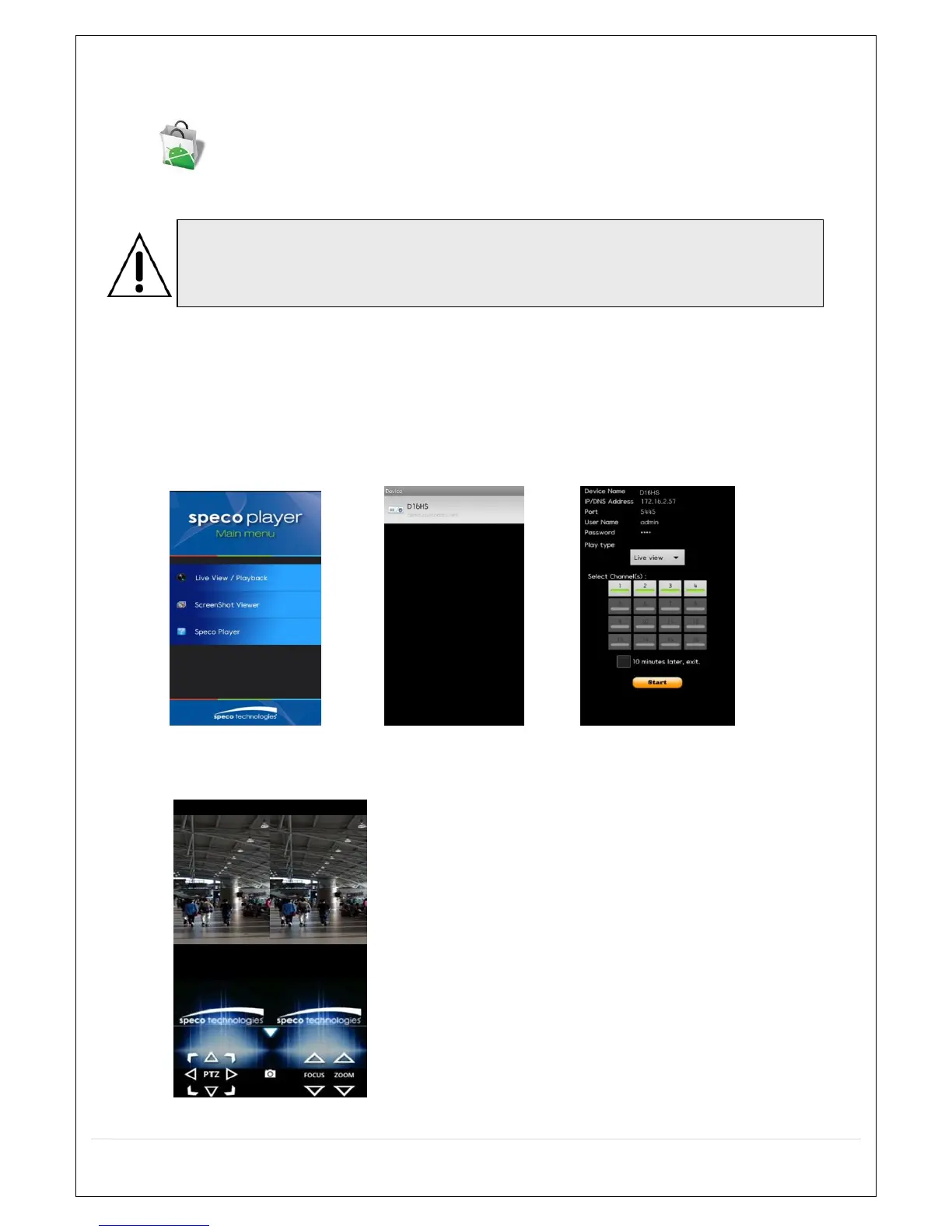
1. Open the installed “Speco Player” App and select the Live Preview. Then click the menu button of the phone
to add a remote device.
2. Select the registered device and select LIVE VIEW and select up to 4 channels to monitor. Then click START
button.
3. The app will display the selected channel(s). Double tap the channel screen to switch 1 channel display to 4
channels split display.
Notice
SPECO Player is for the VS, HS, DS, RS, WRS and HD series DVRs. SPECO
VIEWER is not compatible with the T Series DVR’s (TH, TN or TL) or the PC Series



 To Next Page