57
5-3-1. EZSearch
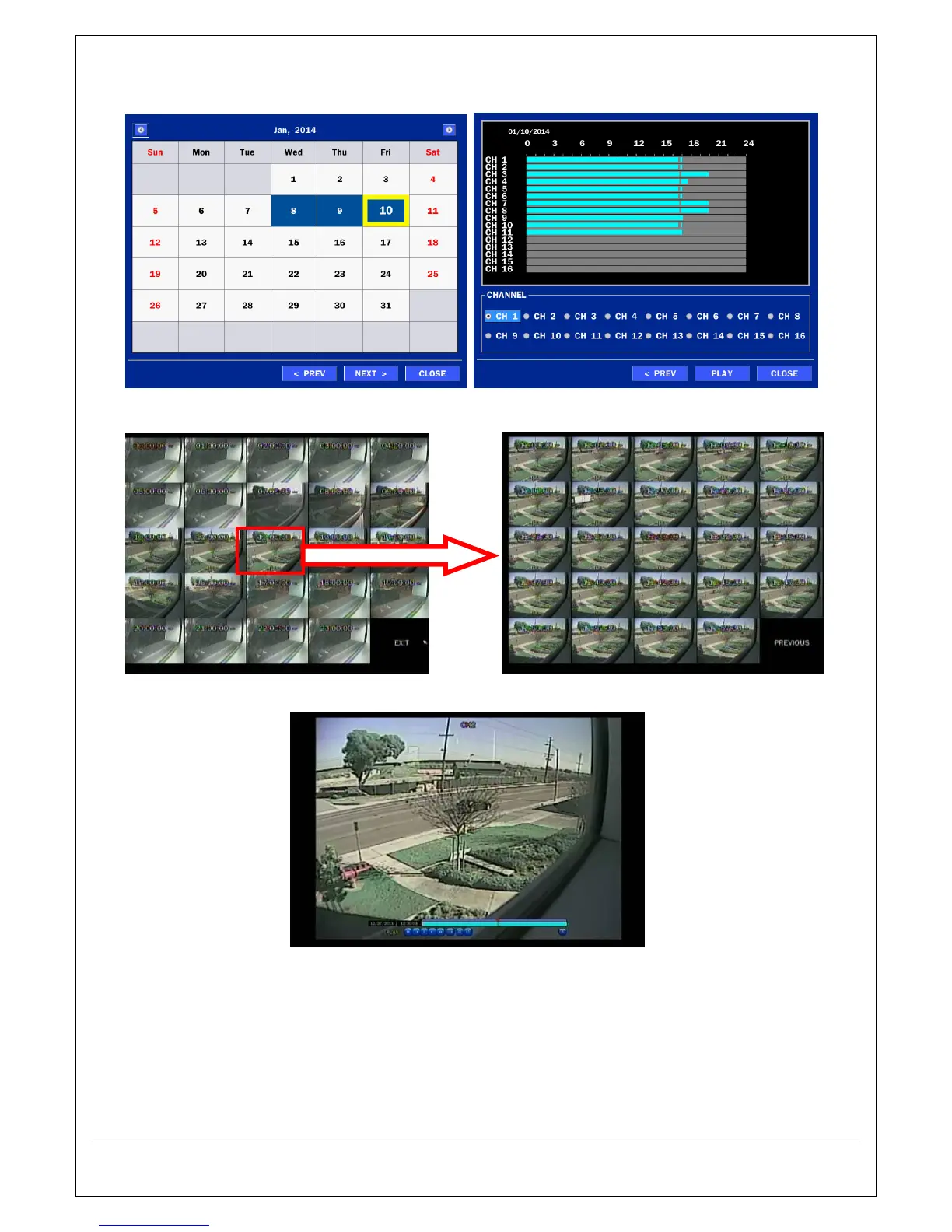
The EZSearch window is used to find stored video with ease using the thumbnail playback screen.
Figure 5.3.1.1. Calendar Screen Figure 5.3.1.2. Channel Selection Screen
Figure 5.3.1.3. 24 Hourly Thumbnail Screen Figure 5.3.1.4. Minute Thumbnail Screen
Figure 5.3.1.5. Play Mode Screen
1. When the EZSearch menu is selected, the user can see a calendar, which displays recorded dates with
highlights. Select a specific date on a calendar.
2. Select a channel from Channel Selection Screen. Then, 24 Hourly Thumbnail Search screen displays.
3. Select the hourly thumbnail. Then, Minute Thumbnail Search screen displays.
4. Select the thumbnail of seconds & minutes that you want to playback.



 To Next Page