21
3. Front and Rear Panels
3-1. Front Panel
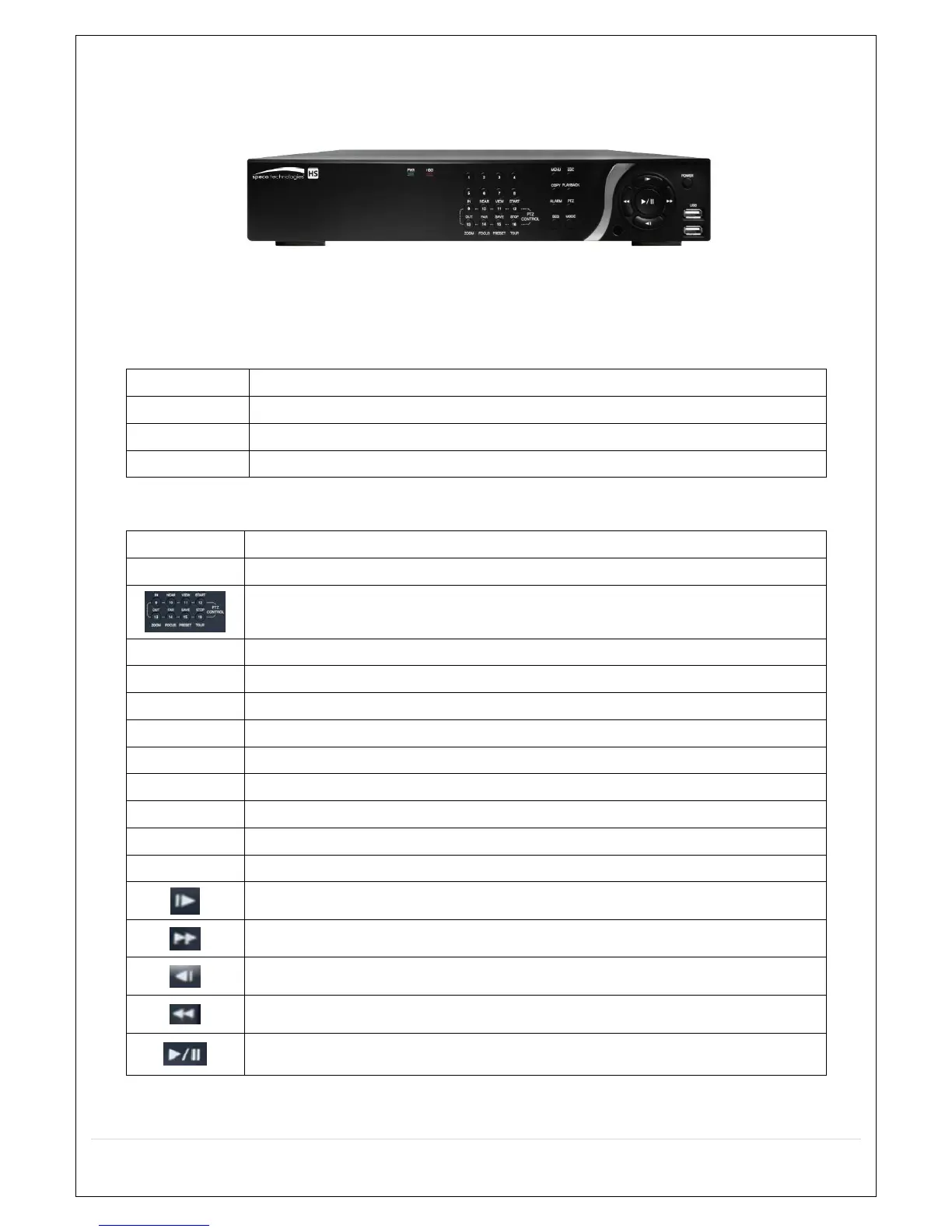
HS Desktop Front
Figure 3.1.1. DVR Front panels
Table 3.1.1. Front LED and Ports of Desktop Models (D16HS/D8HS)
Name Description
POWER LED light is on when power is applied to the system.
HDD LED light is on when the system is recording video data.
USB Port This USB port for archiving footage into a USB device. (USB 2.0 connector)
Table 3.1.2. Front Buttons (D16HS/D8HS)
Name Description
Buttons 1~16
Select a channel from CH1 to CH16
Buttons from 9 to 16 is used as function keys on PTZ control mode
To escape out of PTZ mode, press the ESC button.
MENU Goes into the Setup window
COPY Takes a Screenshot on Live View and Goes into Backup during Playback
ALARM Activates the external alarm device
SEQ Enables the sequence mode on Live
ESC Exit the current mode or cancels current operation
PLAYBACK Goes into search mode
PTZ Activates the Pan, Tilt and Zoom menu
MODE Toggles between the available display modes (1x1, 2x2, 3x3, 4x4)
POWER Will initiate system shut down
LIVE mode – Moves Up
SEARCH mode – Skips 1min ahead on playback and 1 frame ahead on pause
LIVE mode – Moves Right
SEARCH mode - Control the play speed (Fast Forward)
LIVE mode – Moves Down
SEARCH mode - Skips 1min back on playback and 1 frame back on pause
LIVE mode – Moves Left
SEARCH mode- Select the play speed (Rewind)
LIVE mode – Select (Center)
SEARCH mode - Play & Pause



 To Next Page