104
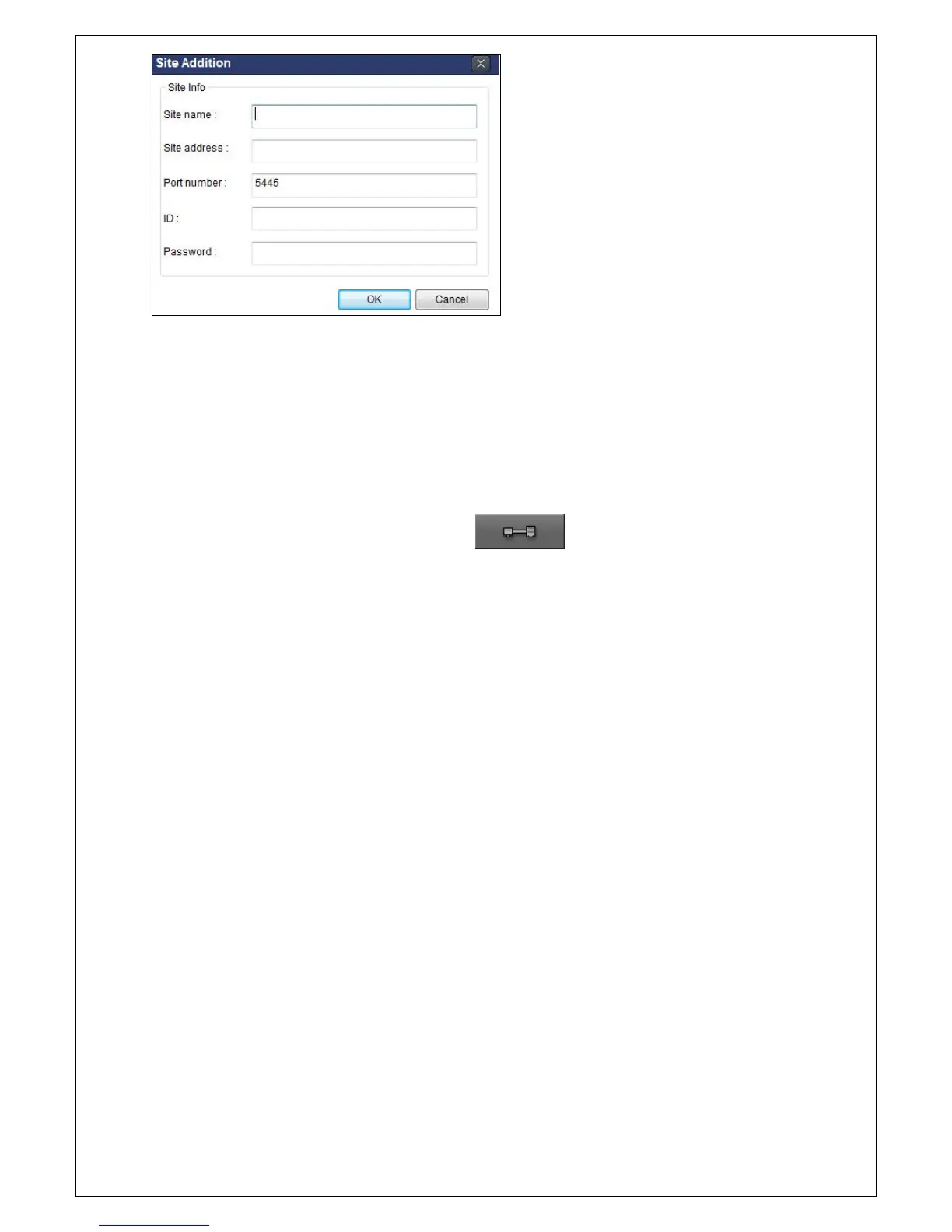
4. Input Site Name, Site Address (IP address), Port Number, and Password on the connect window.
Site Name: Input a name that properly describes a site.
IP Address: Input IP address
Port Number: Default Port Number is “5445”.
ID: Input ID of DVR. Default ID is “admin”.
Password: Input network password of DVR. Default Password is “1111”.
5. Select a site by checking the box, and Press button to connect to the site.



 To Next Page