18
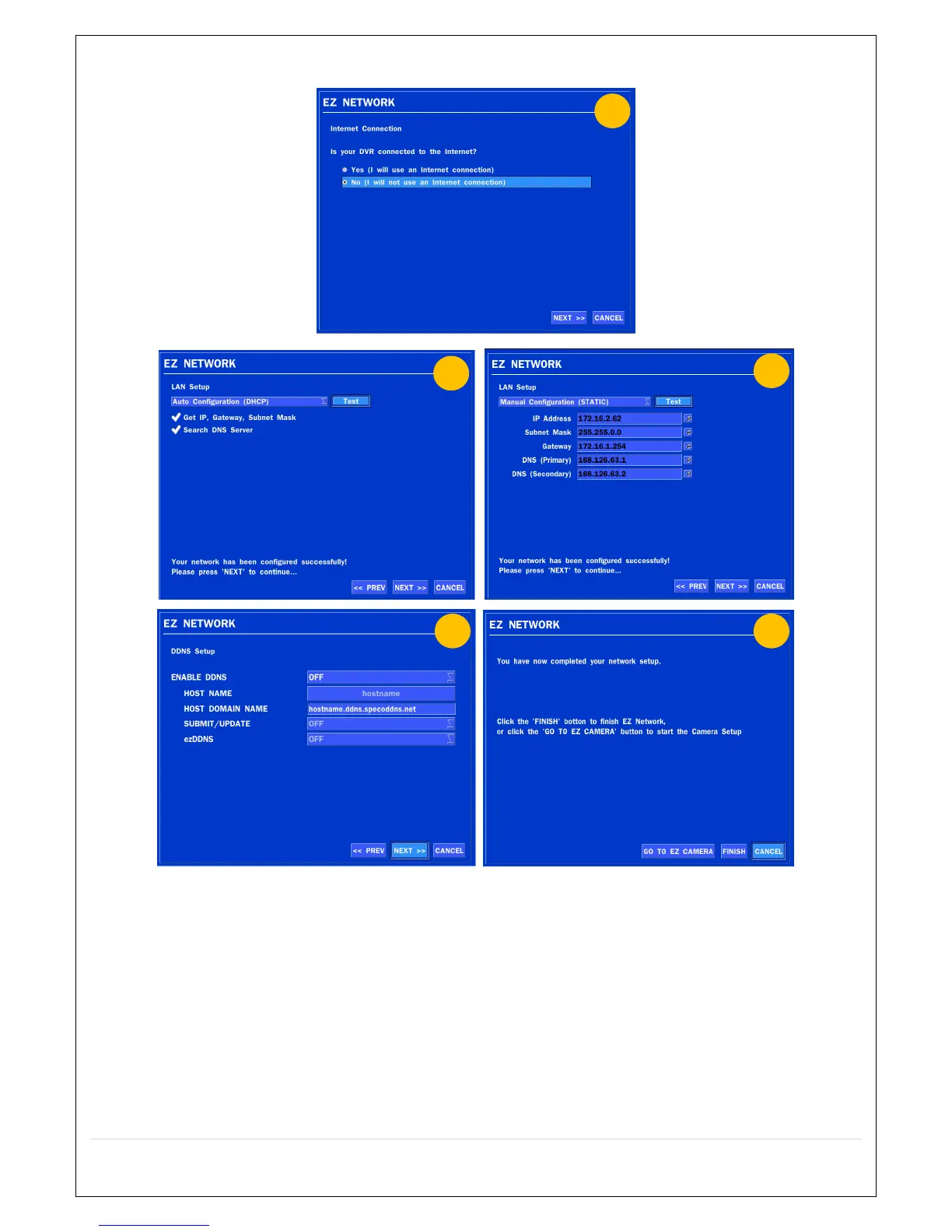
2.4.3. EZ NETWORK setting (Not using internet connection)
Figure 2.4.3. EZ NETWORK Setup – Manual Configuration Screen
① Select NO if the HS is not using an internet connection.
② Select Auto Configuration(DHCP) or Manual Configuration(STATIC) and then click TEST
button when ready.
③ Input the Network Settings if Manual Configuration(STATIC) was selected, and click TEST
④ Select OFF for ENABLE DDNS and click NEXT button.
⑤ Click Finish to save the setup.



 To Next Page