D1BD User’s Guide
Rev. 1.0 (Dec 6, 2013)
15
3. Remote video connection to ONSIP D1BD
1) Connection through Web Viewer
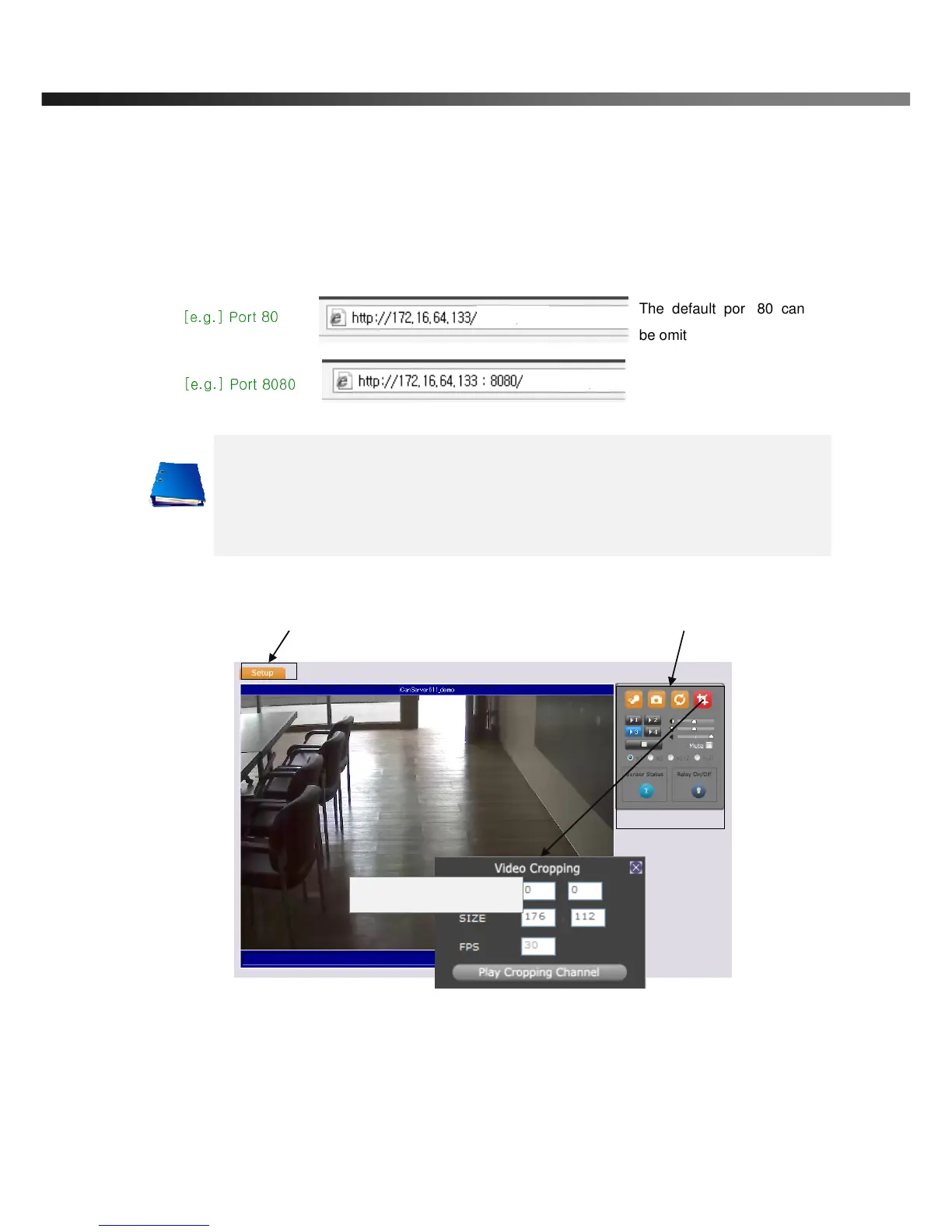
Web Viewer offers simplest way of video connection to ONSIP D1BD. For video connection, enter the IP
address of ONSIP D1BD in the URL field of Internet Explorer as:
Note: Active-X module should be installed on your PC before actual connection. If your PC
is not connected to the internet, you cannot download Active-X module. Most
convenient way of installing the Active-X module is installing Speco-NVR which is
available from the CD or our web site.
Figure 3-3. Web Viewer
Default ID and password of Admin Page are admin,1234. For more detailed information, please refer to the
[Configuration_Guide] Guide.
Connection to Admin Page Basic Control Buttons
Video Crop Control
[e.g.] Port 8080
[e.g.] Port 80
The default port 80 can



 To Next Page