D1BD User’s Guide
Rev. 1.0 (Dec 6, 2013)
14
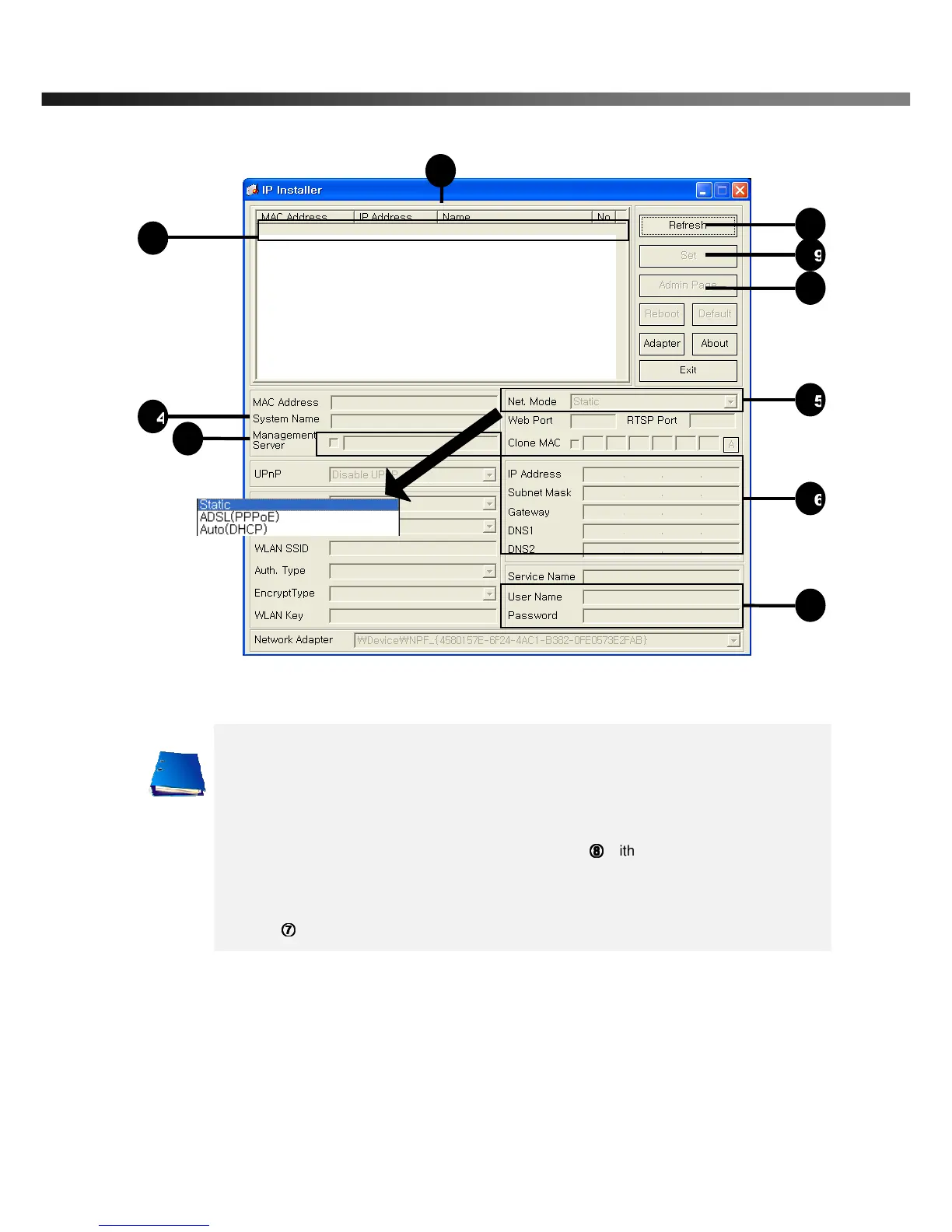
Click on the field in
for sorting and rearranging the list.
Select network mode that best suits from the drop down list in
. You can choose either
Static or ADSL and Auto (DHCP), respectively. If ADSL and Auto are selected, the fields in
⑥
⑥⑥
⑥ is deactivated.
In case of ADSL, fill the User Name and Password in
⑧
⑧⑧
⑧
with the values provided by your
ISP.
If DDNS service is needed, Check at the box and fill the empty field with hostname you
want in
⑦
⑦⑦
⑦
.



 To Next Page