46
4.6.3 Motion detection
4.6.3.1 Motion recording
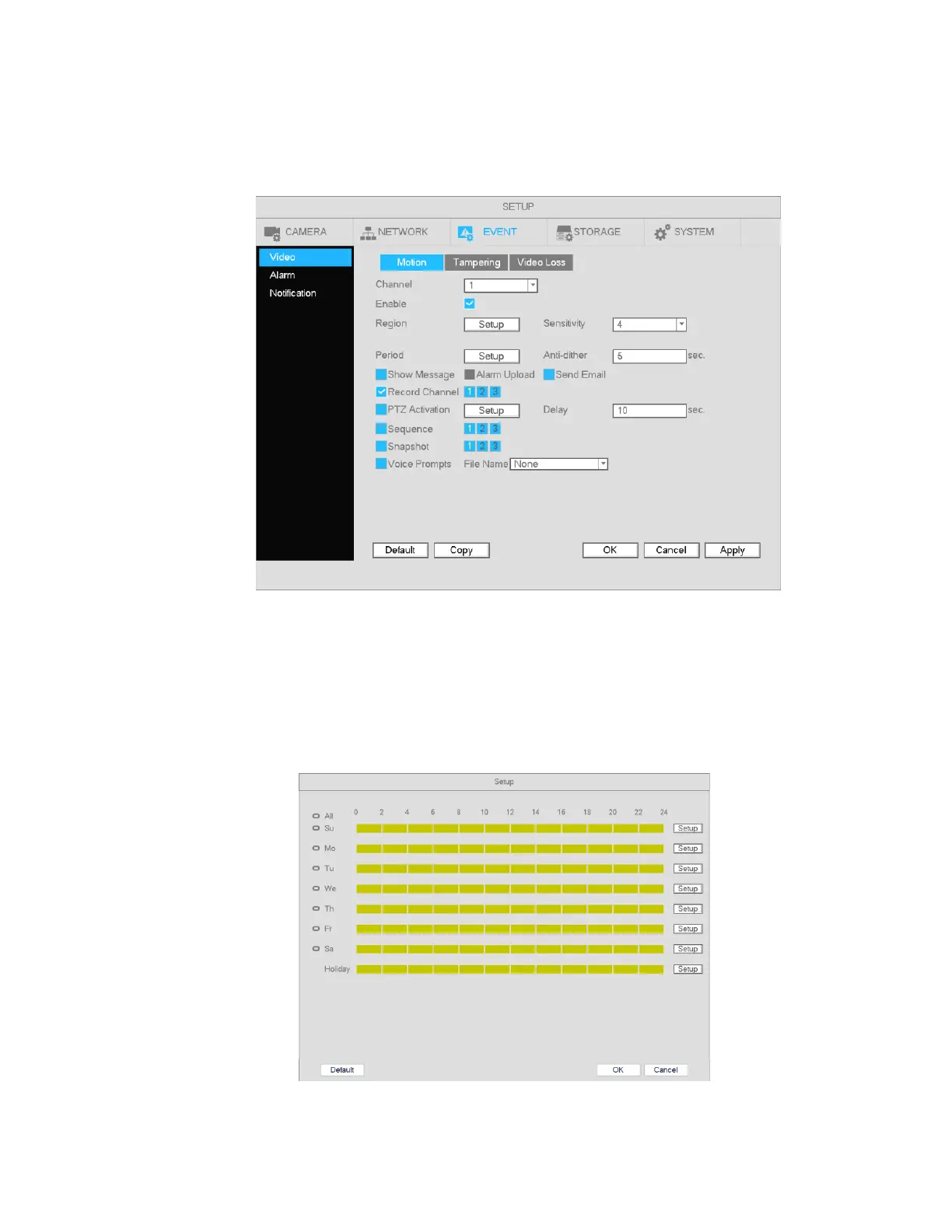
a) Go to Main Menu->Setup->Event->Video->Motion. See Figure 4-35.
Figure 4-35
b) Select a channel from the dropdown list and then check the Enable box to enable motion detection.
c) Select the Region Setup button to set up the motion detection zone. Click and drag to identify the
desired zones. Multiple areas within the window can be highlighted.
d) Period: Select the Period Setup button. The interface is shown below. Follow the same procedure
as the general schedule setup. Note that a maximum of 6 separate periods can be specified for one
day.
Figure 4-36



 To Next Page