English
5
First-Time Use
Unpacking The following items are delivered in the box:
• SP20 unit
• Li-Ion battery
• Universal power adapter (includes a USB-to-micro-USB
cable)
• Quick Start Guide
• 2 x screen protectors
• Monopole adapter (an attachable 5/8-inch female adapter
+ 4 x Philips head screws)
• Handstrap
• Battery door opener (a black, rigid pen-shaped accessory)
• Pouch.
NOTE: Spectra Precision reserves the right to make changes
to this list without prior notice.
Inserting the SIM
Card, Micro SD
Card and Battery
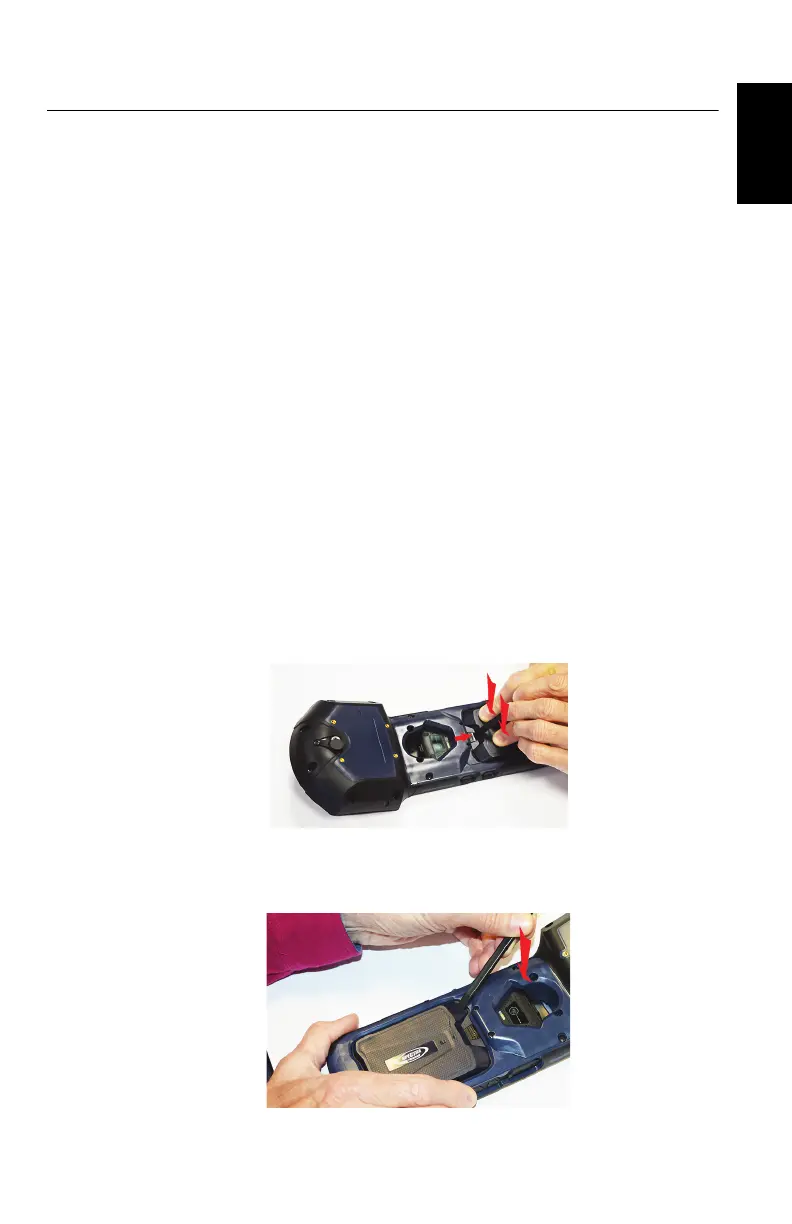
Follow the instructions below:
1. Turn over the SP20.
2. While exerting pressure on the battery door to ease the
unlocking, slide out the lock using a finger or the tip of the
battery door opener.
3. Insert the tip of the battery door opener into the recess
(top-left corner of the battery door, see also page 3) and
gently push the opener to release the door out of the unit.


 To Next Page