English
25
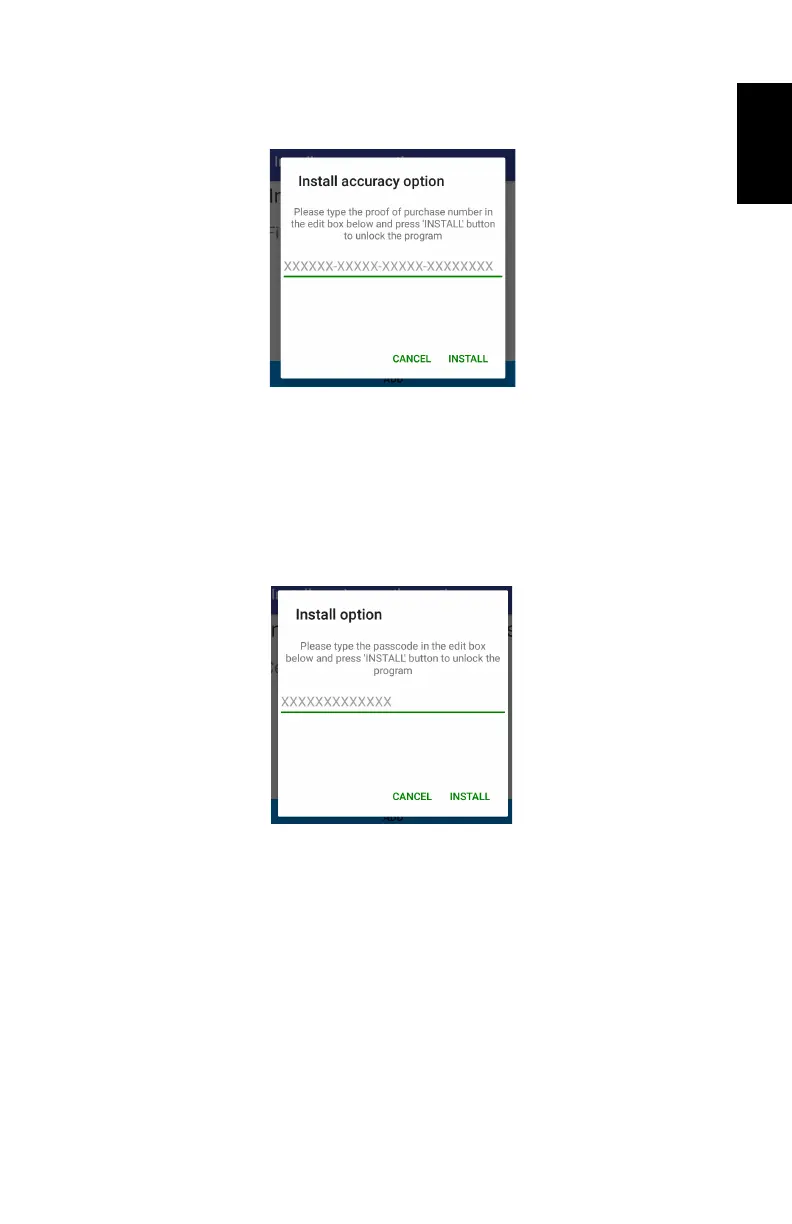
The ADD button located at the bottom of the screen allows
you to add a new option by entering the corresponding
POPN. The following screen appears after touching ADD:
If you have purchased your SP20 with sub-meter,
decimeter or centimeter accuracy, you should have
received the corresponding POPN via email.
Enter the POPN and touch INSTALL.
• Install service or other option: Same as Install accuracy option.
This function needs a passcode, which is used to activate
a Trimble RTX service for which you have purchased a
subscription.
• About: Returns the software version of your GNSSLoader
application, the SP20 unit serial number and the software
version of the GNSS firmware currently installed in your
SP20. Touch OK to return to the main menu.
NOTE: GNSSLoader cannot be started while SPace is
running. If you try to do so, a message will appear informing
you that this is not possible.


 To Next Page