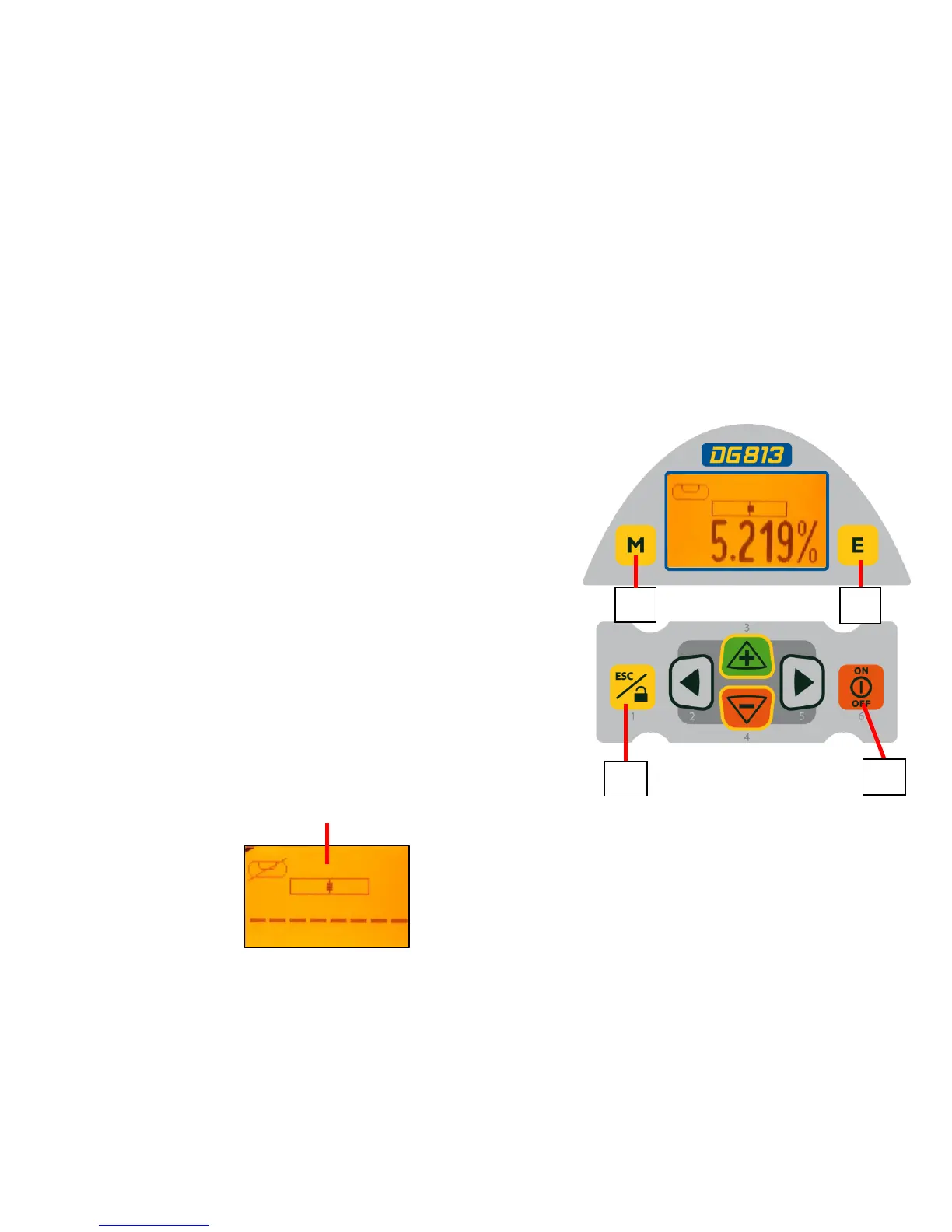
Features and Functions
12. Power Button - turns the laser On/Off
(To turn off the laser, press and hold the button
for 2 seconds).
13. M – Menu Button - Quickly press and release
starts the menu entry. Use the 2 to 5
buttons to toggle through the menu.
14. E - Enter Button - Quickly press and release
to activate a selected menu function and show the
actual laser and remote control battery status.
15. Escape/Lock (ESC) Button - (If pressed
simultaneously with one of the left/right or +/-
buttons, it locks/unlocks the +/- or the left/right
buttons, so that the unit can’t be unintentionally
changed. If pressed for 5 seconds, the unit
switches to the manual mode (steep grade).
13
14
15
12
10



 To Next Page