21
Automatic Grade Match
The Grade Match mode can be activated in horizontal automatic mode.
In Grade Match mode, the laser can be used to connect two known elevation points (up to 100 m (330 ft)
located on the Y-axis of the laser.
1. Set up the laser over the reference point.
2. Attach the HL760 receiver to a grade rod. Check the laser’s elevation next to
the laser then position the receiver at the second point WITHOUT changing the
receiver’s elevation on the rod.
3. Use the sighting guides on the top of the laser to align the laser to the receiver.
Turn the laser on the tripod until it is roughly aligned to the receiver’s position
4. Press and release the M button at the Standard Display and select >>Grade Match<<.
5. Press and release the E button to open the Grade Match submenu; select the Y-axis
then press the E button to start Grade Match.
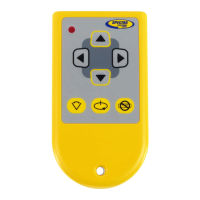
Note: The laser starts to search for the receiver while the RC402N display shows
flashing GM. The HL760 display shows also a flashing –GM– during the time the laser is
searching and adjusting the beam to the on-grade position.
When Grade Match has been completed, the HL760 goes back to the standard elevation
display while the laser stays in the Y-axis single slope mode.
The red and green LED flash simultaneously (once a second).
When the slope work has been finished, press the Manual button two times to go back
to automatic mode.
Exiting of Grade Match can be done by pressing the Manual button where the unit goes always back to
automatic mode.


 To Next Page
 Loading...