APPENDIX
56 MB720 User’s Manual
3. When the welcome screen appears, click Next.
4. When the VIA Software License Agreement screen appears, check the
“I agree” checkbox and click Next.
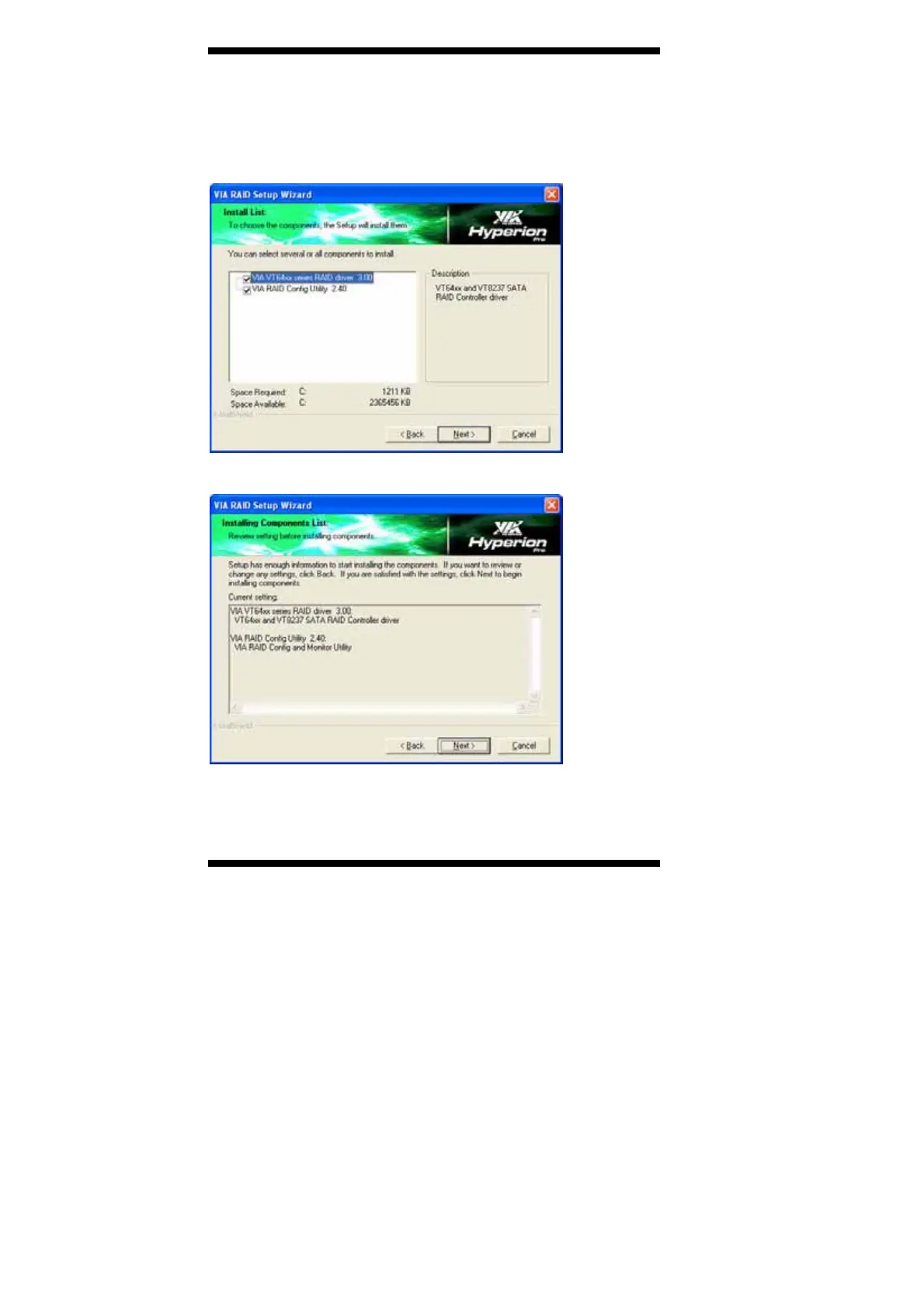
5. Select all components and click Next.
5. Select all components and click Next.
6. The following screen shows you the status of the installation. Click
Next to continue. When prompted, restart the computer for changes to
take effect and complete the installation process.



 To Next Page