Remove the Shipping Bracket Ensure ESD Protection
December 2022 Shipping Bracket Installation & Removal — Spectra Stack Library
11
REMOVE THE SHIPPING BRACKET
Usetheinstructionsbelowtoremovetheshippingbracketafterthelibrary
isinstalledinthedatacenter.
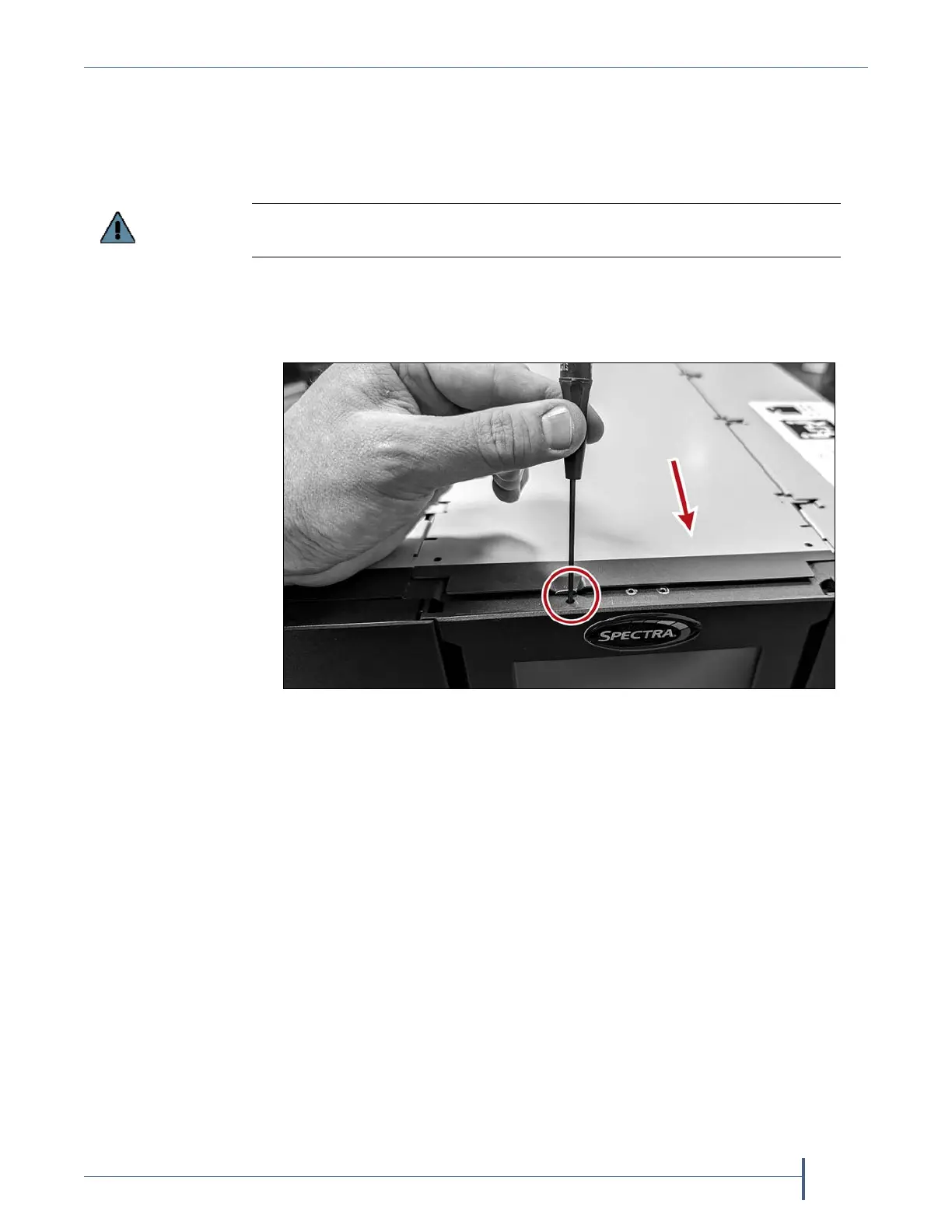
1. Removethetopcov er.
a. Usingasmallscrewdriver,pressdownonthereleaselatchonthe
topofthechassisatthefront.
b. Slidethetopcovertowardsthefrontofthechassisuntilitcontacts
thescrewdriver.
c. Removethescrewdriverandslidethecoverforwardtoreleaseit
fromthechassis.
d. Liftthecoveroffandsetitaside.
You must remove the bracket prior to powering on the library to avoid an
initialization failure.
Figure 11 Release the cover latch.



 To Next Page