EasyManua.ls Logo

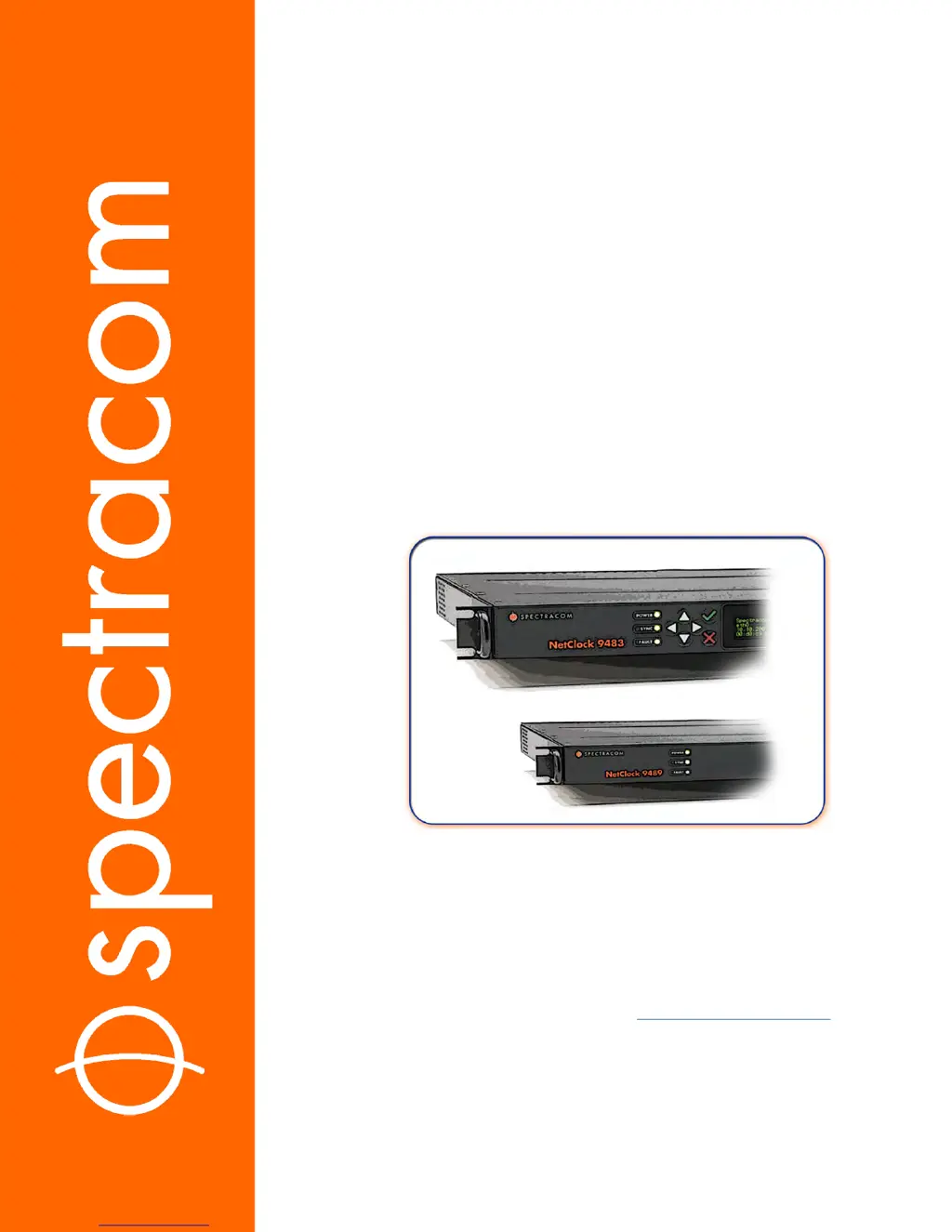
Spectracom NetClock 9483 - User Manual

Spectracom NetClock 9483
467 pages
Print Icon
To Next Page IconTo Next Page
Loading...
NetClock
®
9400 Series
Time Server
User Reference Guide
Document Part No.: 1209-5000-0050
Revision: 16
Date: 28-Aug-2017
spectracom.com

Table of Contents

Other manuals for Spectracom NetClock 9483

Questions and Answers

  • L
    Lori ThomasAug 16, 2025
    Why does Spectracom NetClock 9483 Other display the error message “Forbidden You don’t have permission to access/ on this server”?
    • G
      Gregory WagnerAug 16, 2025
      This message appears when the Network Access Rules table has entries, but your PC's IP address isn't listed as an allowed IP. To fix this, either log in from a PC that is listed as an 'Allow From' in the table, or perform an unrestrict command to clear all entries from the Network Access Rules table, granting all PCs access to the Web UI.
  • M
    martinheatherAug 19, 2025
    What to do if AC and/or DC indicator is red instead of green on Spectracom NetClock 9483?
    • K
      Kimberly JohnsonAug 19, 2025
      If the AC indicator is red: 1. Make sure the AC power cord is properly connected to an AC outlet. 2. Ensure the AC power input switch is turned ON. 3. Inspect the two fuses located in the AC power module. If the DC indicator is red: 1. Confirm the DC power source is within the specified range at the DC power connector. 2. Verify that DC power is present at the input connector. 3. Check the DC input polarity.
  • S
    Steven FowlerAug 22, 2025
    What to do if one or more input references indicate 'Not Valid' (red) on Spectracom NetClock 9483?
    • C
      Charles ChenAug 22, 2025
      If one or more input references indicate 'Not Valid' (red), it means all available input references have been lost. To resolve this: 1. Ensure the Input Reference Priority table still has the desired inputs enabled, based on your preferred priority. 2. Verify that the desired input references are still properly connected to the correct input port on the NetClock. 3. If applicable, check the GNSS antenna installation.
  • I
    icarterAug 25, 2025
    What does it mean if the Spectracom Other LED is red?
    • D
      Debra ChungAug 26, 2025
      A red LED indicates that the NetClock has just been powered on and hasn't synced to its references yet, or all available reference inputs have been lost, and the Holdover mode has expired. If the NetClock was recently powered up or rebooted with input references applied, allow a few minutes for the input reference to be declared valid (allow 35 – 40 minutes for a new install with GNSS input). Otherwise: 1. Ensure the Input Reference Priority table still has the desired inputs enabled, based on desired priority. 2. Verify that desired input references are still connected to the correct port of NetClock. 3. If applicable, verify the GNSS antenna installation, ensuring it has a clear view of the sky.
  • B
    Brandon MartinezAug 28, 2025
    What does it mean if the Spectracom NetClock 9483 LED is orange?
    • B
      Brandon RichardsonAug 28, 2025
      An orange LED indicates the device is in Holdover mode because all available input references have been lost. To resolve this: 1. Ensure the Input Reference Priority table still has the desired inputs enabled, based on your preferred priority. 2. Verify that the desired input references are still connected to the correct port of NetClock. 3. If applicable, verify the GNSS antenna installation.
  • M
    Melissa BakerAug 31, 2025
    How to troubleshoot Spectracom Other ICMP test failing?
    • J
      Jessica BrownAug 31, 2025
      If the NetClock ICMP test is failing: 1. Verify a standard network cable connects NetClock’s Ethernet port to a hub/switch, or directly to a stand-alone PC. 2. Ensure NetClock's network settings are valid for the connected network/PC, meaning the IP address is on the same subnet as the other PC.
  • S
    snyderandrewSep 3, 2025
    What does it mean if the Spectracom NetClock 9483 Other LED is blinking orange?
    • A
      Andrea HowellSep 3, 2025
      A blinking orange LED indicates that the GNSS Antenna problem alarm is asserted. To fix this: 1. Verify the GNSS antenna is connected to the NetClock GNSS input connector. 2. Check the antenna cable for an open or short circuit.
  • M
    Michael BoltonSep 6, 2025
    What to do if terminal emulator program does not display any data when the keyboard key is pressed on Spectracom Other?
    • G
      gabrielhendersonSep 6, 2025
      If the terminal emulator program does not display any data when the key is pressed, it means that the NetClock is not powered up or there is a problem with the connection between NetClock and the PC. Using a multimeter, check the pins from one end of the serial cable to the other. Verify the cable is pinned as a straight-thru serial cable (pin 2 to 2, pin 3 to 3 and pin 5 to 5) and not as a null-modem or other pin-out configuration.
  • D
    dennisfloresSep 9, 2025
    Why is Spectracom NetClock 9483 Other LED off?
    • T
      Thomas MooreSep 9, 2025
      An off LED indicates that there are no valid Reference inputs available since power-up. To fix this: 1. Make sure the Input Reference Priority table has the desired inputs enabled, based on desired priority. 2. Make sure the desired input references are connected to the correct port of NetClock.
  • M
    Megan Jones DDSSep 12, 2025
    How to fix a blank LED (not lit) on Spectracom NetClock 9483 Other?
    • H
      hughesedwardSep 12, 2025
      A blank LED indicates that the NetClock has no AC and/or DC input power applied. To resolve this: 1. Verify AC power is connected to an AC source and the AC power switch is ON. 2. Verify DC power (within the correct voltage range, as stated on the DC connector) is applied to the DC power connector.

Spectracom NetClock 9483 Specifications

General IconGeneral
TypeNetwork Time Server
Disciplined Time SourceGPS, GLONASS, Galileo, BeiDou
Power Supply100-240 VAC, 50/60 Hz
Time SourceGPS, IRIG-B
Network ProtocolsNTP, SNTP, HTTP, HTTPS, SSH, Telnet
OutputNTP, IRIG-B, 1PPS
InputsGPS, IRIG-B, 1PPS
Operating Temperature0°C to 50°C
Frequency Accuracy<1e-12

Related product manuals