Spectralink 7202/7212 Handset User Guide
Spectralink 72-Series Handset User Guide.docx
April 2023 20
Home Screen
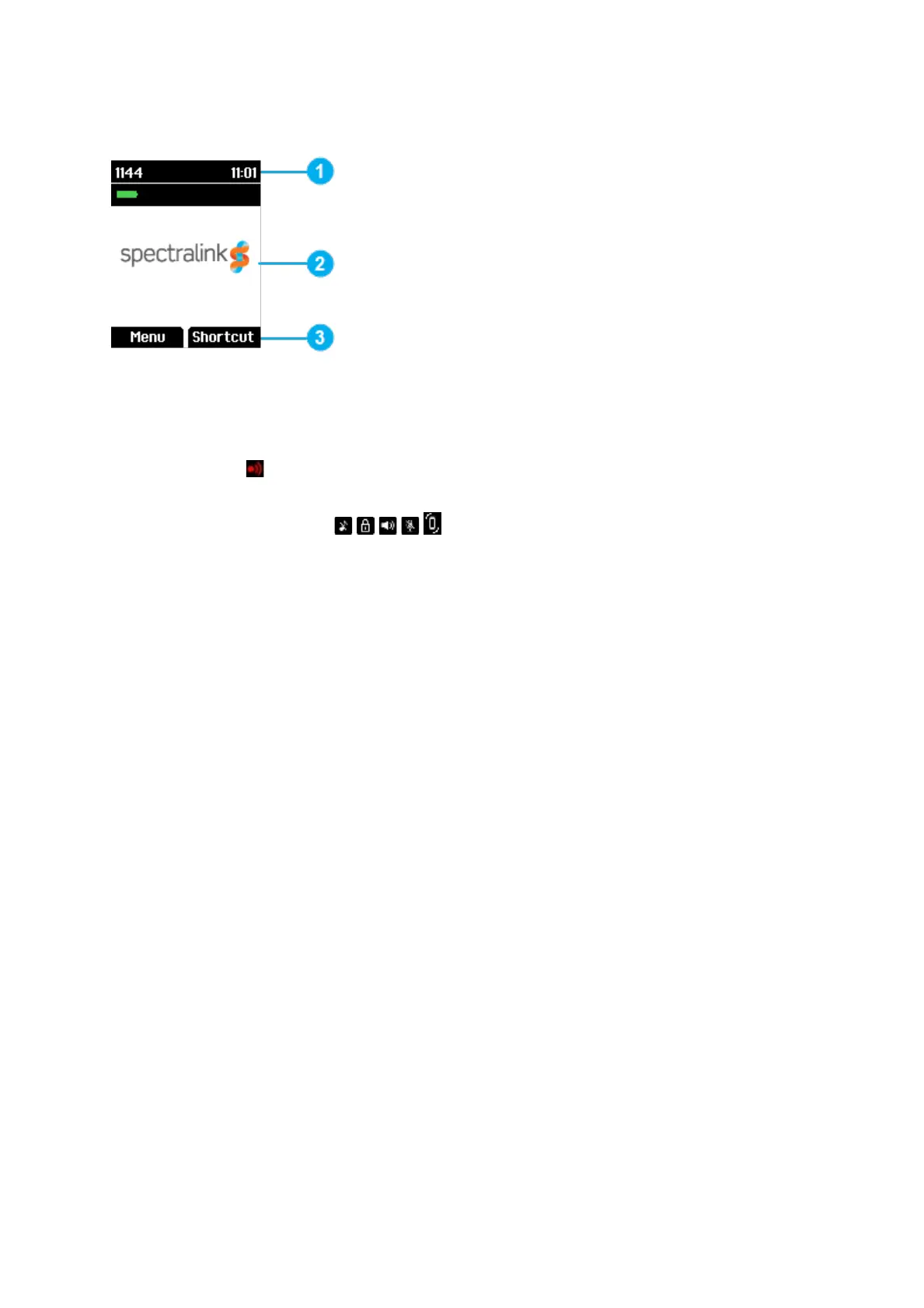
The home screen is divided in three parts:
1. Status Bar Information shown:
• On Hook (home screen/idle) – display shows standby text, battery status, signal
status
and personal settings and time.
The following icons can also be displayed in the status bar depending on the
personal settings:
For more information, see “Status Icons” on page 22.
• Off Hook – display shows call state.
2. Display Center Information shown:
• On Hook (home screen/idle) – display shows standby logo or call information
when receiving an incoming call
• Off Hook – display shows a telephone icon.
3. Softkey Text Information shown:
• On Hook (idle) – display shows Menu and Shortcut
o Menu: gives access to the different functions of the handset. For more
information, see “List of menu Functions” on page 45.
o Shortcut: personal shortcuts consist of functions you have chosen to add
to a list of shortcuts. For more information, see “Personal Shortcuts” on
page 41.
• Off Hook – display shows various terms according to the context of the specific
function.



 To Next Page