Need help?
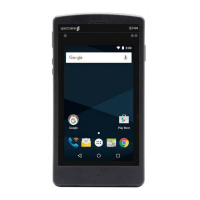
Do you have a question about the SpectraLink Mitel 6920 and is the answer not in the manual?
Visual representation of the lab setup for testing Spectralink Versity interoperation with Mitel MiVoice.
Lists software versions for Mitel MiVoice, Spectralink Versity Handset, and Cisco Access Point.
Overview of tested features and their support status, linking to detailed test results.
Step-by-step guide to support Spectralink Versity Handset on the Mitel MiVoice System.
Ensures adequate licenses are available in the MiVoice Business System to support the Versity handset.
Building a Class of Service (COS) for Spectralink Versity phones and specifying its options.
Customizing features and options for Mitel MiVoice to use with Spectralink Versity phones.
Setting up call forwarding for unanswered, busy, or unregistered conditions on the Mitel MiVoice System.
Creating a user profile and specifying device details for the Spectralink Versity handset.
Configuring voicemail boxes for the Versity handset, similar to other users.
Assigning the previously created Call Rerouting First Alternatives number to an individual extension.
Connecting the Versity smartphone to the Mitel MiVoice system by configuring SIP parameters.
Confirming successful registration of the Versity handset with the Mitel MiVoice system.
Performing basic functionality tests to verify proper Versity handset/MiVoice system interaction.
Spectralink Versity handsets register directly to the Mitel MiVoice System.
Mitel MiVoice System requires SIP Digest Authentication for username and password.
Testing call functionality between Spectralink Versity handsets and Mitel IP phones.
Parameters to optimize Mitel MiVoice system's voicemail integration with Versity phones.
Parameters required for successful Message Waiting Indications on handsets.
How incoming calls are handled during an active call, and configuration for multiple calls.
Guidelines for handling multiple calls per line key or maximum calls per line.
How the Versity handset merges audio streams locally for three-way conferences.
Testing blind transfer where the intermediate party does not speak to the destination.
Testing announced transfer where the intermediate party announces the call.
Attended transfer as a conference where the initiator drops out.
Support for calling party and called party name/number, including p-asserted identity header.
Handsets are capable of hold and resume, utilizing RFC 3261 mechanisms.
Spectralink Versity handsets can hear system-supplied Music On Hold.
Allows callers to decline inbound calls, sending a 486 Busy message to the system.
Handset honors Android Do Not Disturb, returning a '486 Busy Here' message.
Using the handset's built-in Do Not Disturb feature.
Implementing Do Not Disturb using Feature Access Codes for persistent effect.
Parking and retrieving calls using Feature Access Codes, with notes on Paging compatibility.
Spectralink Versity handset uses RFC2833 for DTMF tone delivery.
Implementing Call Forward Follow Me functionality via handset or Feature Access Codes.
Using the handset's UI to enable call forwarding, providing a visible indication.
Using FACs for call forwarding, which remains active even if the handset is off.
Utilizing Feature Access Codes for various features and recommending adding them as contacts.
TCP or TLS transport protocols are not recommended due to observed call maintenance issues.
Testing of codecs against the Mitel MiVoice System, with default priorities listed.
Lists the default advertised codecs and their priorities for Spectralink Versity phones.
Spectralink Versity SIP application supports only one SIP registration per handset.
Spectralink Versity phones do not support Shared or Bridged Line appearance.
Ringing multiple devices simultaneously using Mitel Ring Groups.
Testing SIP trunk connectivity for inbound/outbound calls via PSTN.
Smartphones support redundancy mechanisms for failover/fail-back from a secondary server.
Configuring SIP server with IP addresses for failover to a secondary controller.
Configuring the SIP server using a domain name and DNS SRV records for failover.
Ability of an active call to survive primary controller unavailability and proper call teardown.
Process of restoring call flow operations to the primary controller after failover.
Using Wireshark or adb logs to diagnose call setup or signaling failures.
Verifying DSCP values for Call Control and Audio packets for correct transmission.
Checking and modifying default DSCP values for voice media and signalling packets.
 General
| Brand | SpectraLink |
|---|---|
| Model | Mitel 6920 |
| Category | Cell Phone |
| Language | English |

 To Next Page